For more than a decade, the answer to “can I run Adobe Creative Cloud on Linux?” has been a flat, unambiguous no. Adobe does not support Linux, has never supported Linux, and has given no public indication it ever intends to. Creative professionals who chose open-source operating systems were told, politely but firmly, to use Darktable instead and be grateful for it.
That answer changed quietly in May 2026 — not because Adobe had a change of heart, but because an AI agent spent several autonomous debugging sessions tearing through Wine compatibility logs until it found a way through.
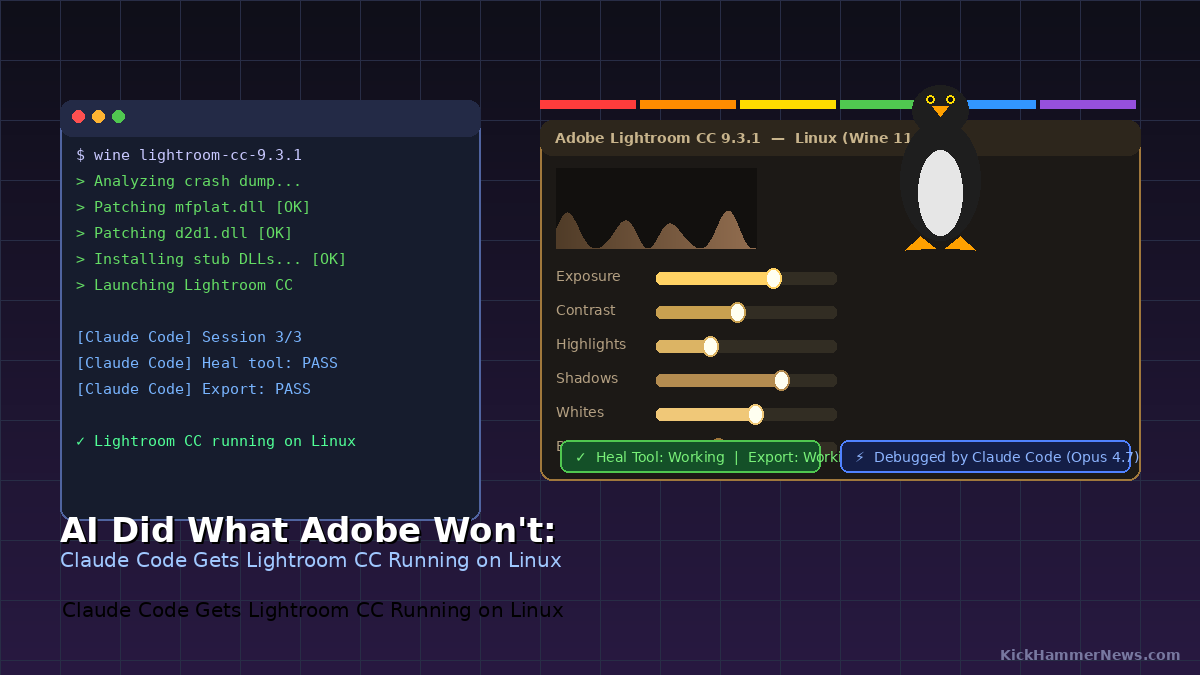
The result is a reproducible recipe, published to GitHub on May 16, that gets Adobe Lightroom CC version 9.3.1 running on Linux under Wine 11.8 Staging. It is not native. Adobe did not sanction it. But the core workflow — browse your cloud-synced catalog, edit in the full Edit module, use the Heal tool, export finished images — reportedly works, and that is a sentence nobody could write with a straight face a year ago.
The Role of Claude Code
The project’s GitHub repository, maintained by developer Sander Hilven under the handle sander110419, is refreshingly candid about how the work got done. Hilven gave Claude Opus 4.7, running via Claude Code, a single goal: get Lightroom CC working on Linux and document a reproducible recipe.
What followed was not AI generating boilerplate scripts. The agent analyzed actual crash dumps, used a tool called winedump to compare the export tables of Windows system libraries against Wine’s implementations, wrote targeted patches to add missing functions, took screenshots to verify UI states, controlled the mouse with xdotool, and detected interface elements algorithmically to confirm whether each step had succeeded before moving to the next.
One of the trickier problems the AI had to untangle involved Adobe’s own packaging decisions. Adobe ships private copies of several Windows system DLLs inside the Lightroom installation directory — files like mfplat.dll, which handles media foundation components the Heal tool depends on, and d2d1.dll, which drives color management. Because Windows DLL loading checks the application directory before system paths, Wine’s patched system versions were being ignored entirely. Adobe’s bundled copies were loaded instead, and they were incompatible with Wine’s graphics stack.
The fix required patching both locations simultaneously. It is the kind of multi-step forensic debugging that would take an experienced Wine developer hours of manual investigation. The AI reportedly worked through it across multiple sessions, with Hilven reviewing progress and answering occasional clarifying questions.
That is meaningfully different from the “AI wrote some code” claims that have become marketing filler. This was genuine systems-level debugging on a messy real-world compatibility problem, conducted largely without human intervention.
Standing on the Shoulders of January’s Breakthrough
The May recipe did not come out of nowhere. It is the second act of a two-part story.
In January 2026, a Wine contributor known as PhialsBasement submitted a patch series that solved a problem blocking the Creative Cloud installer itself from completing on Linux. Adobe had embedded Internet Explorer-based XML parsing in its installer code back in 2018, and the resulting markup consistently failed under Wine’s stricter XML parsers. The January patches adjusted that behavior, allowing the Creative Cloud desktop app to install and run, which in turn allowed Adobe apps to be installed from the catalog.
At the time, Photoshop 2021 was the primary beneficiary, with the patch author describing it as running “buttery smooth” in initial testing. That story made waves — KickHammer News covered the Photoshop breakthrough in early May — but Lightroom CC remained out of reach. The cloud-syncing version of Lightroom had additional dependencies that the Creative Cloud installer fix didn’t address.
The May recipe tackles those remaining dependencies head-on, specifically the media foundation components, WebView2 rendering requirements, and a set of stub DLLs that Lightroom CC expects to find but Wine does not provide. With Wine’s development pace — the project ships releases every two weeks, and Wine 11.9 arrived on May 15 with Wayland improvements, SQLite support, and dozens of bug fixes — the conditions were finally right for someone to push the remaining distance.
What Actually Works
The repository’s status table is more honest than most compatibility announcements. The core browse-edit-export loop works. The Edit module loads with full controls for Light, Color, Effects, Detail, Optics, Geometry, and the Heal and Remove tools function. The Creative Cloud app can sign in, show the apps panel, and sync the cloud photo library.
Rough edges remain. The “What’s New” intro dialog can crash on first launch, in-app tutorial videos do not play, HDR edit previews render as black panels, and double-clicking thumbnails can occasionally freeze the window. Cloud sync can stall on fresh installs. None of these are central to the editing workflow, but none of them are trivial either.
There are hardware caveats that matter more than the bug list. The recipe was developed and tested on Pop!_OS 22.04 with an AMD GPU. Nvidia users on Wayland desktops have reported significantly worse experiences, with the combination of proprietary drivers, Wayland compositing, and Wine’s graphics layer creating instability that makes the app difficult to use in practice. If you are on Nvidia and Wayland, lower your expectations sharply.
The setup requirements are also substantial. You need a 64-bit Linux distribution, Wine Staging, Vulkan drivers, winetricks, mingw-w64, build tools, and roughly 10 gigabytes of free storage. And you still need a paid Adobe Creative Cloud subscription, which adds a layer of irony: you are doing significant technical work to run software Adobe has no interest in helping you run, and then paying them for the privilege.
The Security Question Nobody Should Skip
The patches that make this recipe work — patched DLL files, stub libraries, symlink adjustments — were generated by an AI agent and have not been audited by an independent security researcher. The methodology is documented and the source is public, which is meaningfully better than a mystery binary from a forum, but “documented” is not the same as “vetted.”
For casual experimentation, the risk profile is manageable. Run the recipe on a spare machine or in a dedicated virtual machine, keep it away from anything holding client files or credentials, and treat the entire stack as experimental infrastructure. If you want additional assurance, running the DLL files through VirusTotal before loading them adds a lightweight check.
For anyone whose livelihood runs through Lightroom, a different answer applies: this is not ready to replace the operating system you depend on. The native platforms Adobe supports exist precisely so that professional creative workflows do not require this level of maintenance. The recipe is a proof of concept, an impressive one, but proof of concept is not a production environment.
What It Means Beyond Lightroom
The larger significance of this episode is not specific to Lightroom. It is about what becomes possible when AI agents can autonomously work through complex, undocumented compatibility problems that previously required deep expertise, enormous patience, and significant time.
Wine compatibility has historically advanced through the painstaking work of volunteers who reverse-engineer Windows behavior, identify specific failure modes, write patches, and test iteratively over months. That work will continue — it is irreplaceable at the level of Wine’s core infrastructure. But the case for AI-assisted debugging at the application layer just got considerably stronger. If an agent can autonomously take Lightroom CC from “doesn’t launch” to “edits and exports photos” across a weekend’s worth of sessions, the range of previously-intractable compatibility problems starts to look more tractable.
Adobe’s absence from Linux is still the most important variable in this story. The community can patch around the walls Adobe builds, but it cannot build a native Adobe runtime, and it cannot guarantee that next month’s Lightroom update won’t require the entire debugging cycle to start over. Official Linux support from Adobe would make all of this moot. The company has given no indication that support is coming, and the silence is itself a statement about whose operating system preferences matter to its product team.
In the meantime, the community keeps chipping away. An AI agent did most of the work this time. The Linux compatibility landscape will probably look different again before the year is out.
Sources: nerds.xyz, Phoronix, It’s FOSS, Starry Hope, GitHub: lightroom-cc-on-linux


