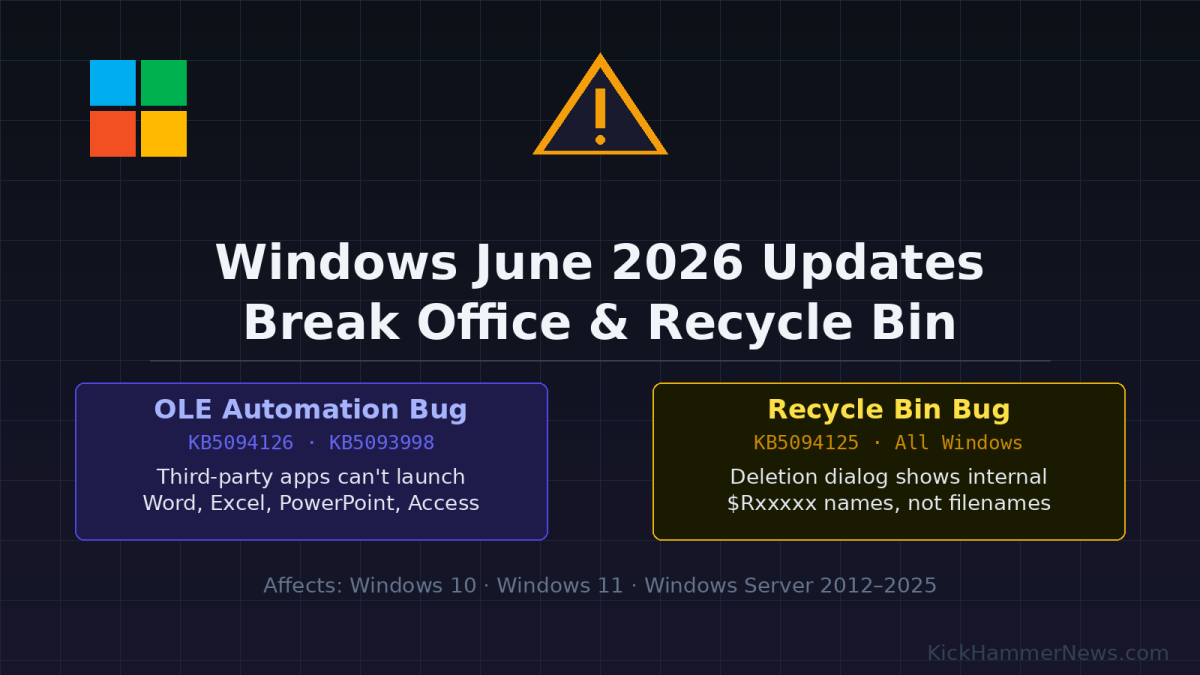
Microsoft’s June 2026 Patch Tuesday already made headlines for the sheer scale of its security fixes — 208 vulnerabilities patched in a single release, the largest in the update cycle’s history. But in the weeks since that rollout, a second wave of consequences has emerged: two distinct bugs that expose genuine fragility in how Windows handles legacy integration protocols and file system naming. Neither bug corrupts data. Both are maddening in practice, and together they paint an uncomfortable picture of Microsoft releasing security hardening changes that snap dependencies it apparently didn’t fully audit.
Bug One: Third-Party Apps Can No Longer Launch Office
The more disruptive of the two bugs involves OLE Automation — a Windows technology that has been around since the early 1990s that allows one application to programmatically drive another. Think of it as the plumbing that lets a dental records system open a patient document directly in Word, or a tax compliance tool spin up an Excel workbook with pre-populated figures. It’s old, it’s unsexy, and an enormous number of enterprise and vertical-market applications depend on it.
The June 2026 security updates — specifically KB5094126 and KB5093998 for Windows 11, and the equivalent cumulative updates for Windows 10 and Windows Server — introduced changes to how OLE Automation initializes COM objects. Microsoft says the changes were meant to close a privilege escalation surface. What they also did, apparently unintentionally, was break OLE-based inter-process launches when the calling application runs under certain security contexts.
The result: applications like CCH Engagement (widely used in accounting firms), Zotero (the research citation manager popular in academic environments), Workpaper Manager, and vertical software such as Dentrix and Softdent can no longer pop open Word, Excel, PowerPoint, or Access the way they’ve done for years. In many cases, the Office application simply doesn’t appear — no error dialog, no crash report, nothing. The host app tries to launch Office and gets silence.
For IT administrators, the failure mode is particularly hard to diagnose. Users see the software behave normally right up until the moment it tries to hand off to Office, then nothing happens. Tickets come in saying “Word doesn’t work” when in fact Word works fine — it’s just unreachable via OLE from within the affected application.
Microsoft confirmed the issue on the Windows release health dashboard and acknowledged that the root cause is a security hardening change to OLE Automation behavior. The company has not specified exactly which COM initialization path was altered, which makes it difficult for developers to test workarounds. The official guidance for end users is to open the Office app or document directly. For organizations running affected third-party software, Microsoft is directing IT departments to contact its Business Support team for an organization-specific mitigation — a workaround that isn’t being distributed through standard Windows Update channels.
A permanent fix is “in progress,” with Microsoft promising delivery in a future update. No target date has been given.
Bug Two: The Recycle Bin Speaks in Tongues
The second bug is less operationally severe but no less baffling. Windows stores deleted files in the Recycle Bin using internal naming conventions: the original file is renamed to something like $Rxxxxx.ext (where the Xs are a random hex string), and a companion metadata file $Ixxxxx.ext tracks the original name, path, and deletion timestamp. The visible Recycle Bin explorer view translates all of this transparently, showing you “quarterly_report_final.xlsx” rather than “$R4A9C2B.xlsx.”
After installing the June 2026 security updates, that translation breaks at a critical moment: the permanent deletion confirmation dialog. When you right-click a file in the Recycle Bin and choose “Delete permanently,” the dialog that asks “Are you sure you want to permanently delete this?” now displays the internal $Rxxxxx name instead of the original filename.
This affects all supported Windows versions — every Windows 11 release from 23H2 through the newly released 26H1, Windows 10 version 22H2, all LTSC and LTSB variants, and Windows Server releases from 2012 through 2025. The blast radius is essentially the entire installed base of supported Windows.
Practically speaking, the bug doesn’t destroy data. The file is still correctly identified in the Recycle Bin list view, restoring it gives back the original name, and the actual deletion still works correctly — it’s just the confirmation prompt that shows the scrambled internal name. But in environments where users routinely manage large numbers of files and rely on the confirmation dialog to catch mistakes, the bug introduces real uncertainty. A user staring at “$RA3F82B.docx” in a deletion prompt has no way to know if that’s the draft they meant to delete or something else entirely.
Microsoft has confirmed that a workaround exists for enterprise customers — but, again, it requires contacting Microsoft Business Support. The fix won’t come through Windows Update until a future release.
What This Says About Microsoft’s Update Quality Control
The simultaneous emergence of these two bugs — one breaking a decades-old integration protocol, one scrambling a file system UI translation — points to a recurring problem in Microsoft’s update pipeline: security hardening changes are landing in cumulative updates without apparently being tested against the full range of applications and system behaviors they touch.
This isn’t a new critique. The June 2026 Patch Tuesday was also accompanied by BitLocker recovery screen lockouts on HP EliteBook and Dell Precision enterprise hardware, an issue that sent IT teams scrambling to recover devices that suddenly demanded BitLocker recovery keys they may not have had on hand. Microsoft later fixed an additional problem where the June updates failed to install at all on Windows Server 2016 systems that hadn’t applied the May KB5087537 security update first.
The pattern looks like this: Microsoft ships a large batch of security fixes under time pressure, a subset of those fixes alter low-level system behaviors to close vulnerabilities, and the compatibility testing done before release doesn’t catch interactions with legacy protocols (OLE Automation) or edge cases in UI code (the Recycle Bin dialog). The bugs only surface at scale once enterprise environments install the updates.
For enterprise IT administrators, this creates an increasingly uncomfortable calculus. Delay the June updates and leave 208 vulnerabilities — including 33 rated critical — exposed on your network. Install them promptly and risk breaking accounting software, academic reference managers, or clinical applications that use OLE Automation to hand off to Office, plus face a Recycle Bin that shows users cryptic internal filenames.
What IT Teams Should Do Right Now
If your organization runs CCH Engagement, Zotero, Workpaper Manager, Dentrix, Softdent, or any other vertical application that uses OLE Automation to launch Microsoft Office apps, test the June 2026 cumulative updates in a staging environment before broad deployment. The behavior is easy to reproduce: install KB5094126 (Windows 11) or the equivalent update, then attempt to launch Word or Excel from within the affected third-party application.
For Recycle Bin issues, the mitigation is simpler — train users to verify file names in the main Recycle Bin list view before using the right-click permanent deletion option, since the list view shows correct filenames. The prompt bug is cosmetic, not destructive.
Microsoft has committed to fixing both issues in upcoming updates. The company has not confirmed whether it will issue out-of-band patches — emergency fixes outside the normal monthly update cycle — or bundle the fixes into the July 2026 Patch Tuesday, which would mean several more weeks of exposure for affected environments.
Given the operational disruption the OLE Automation bug is causing in specialized industries, pressure is likely to mount for an out-of-band fix. For now, affected organizations are working around the problem either by opening Office applications directly or by coordinating through Microsoft Business Support — a process that adds friction and wait times to an already frustrating situation.
Sources: BleepingComputer, The Register, Windows Central, TechRepublic, WindowsLatest, WindowsForum


