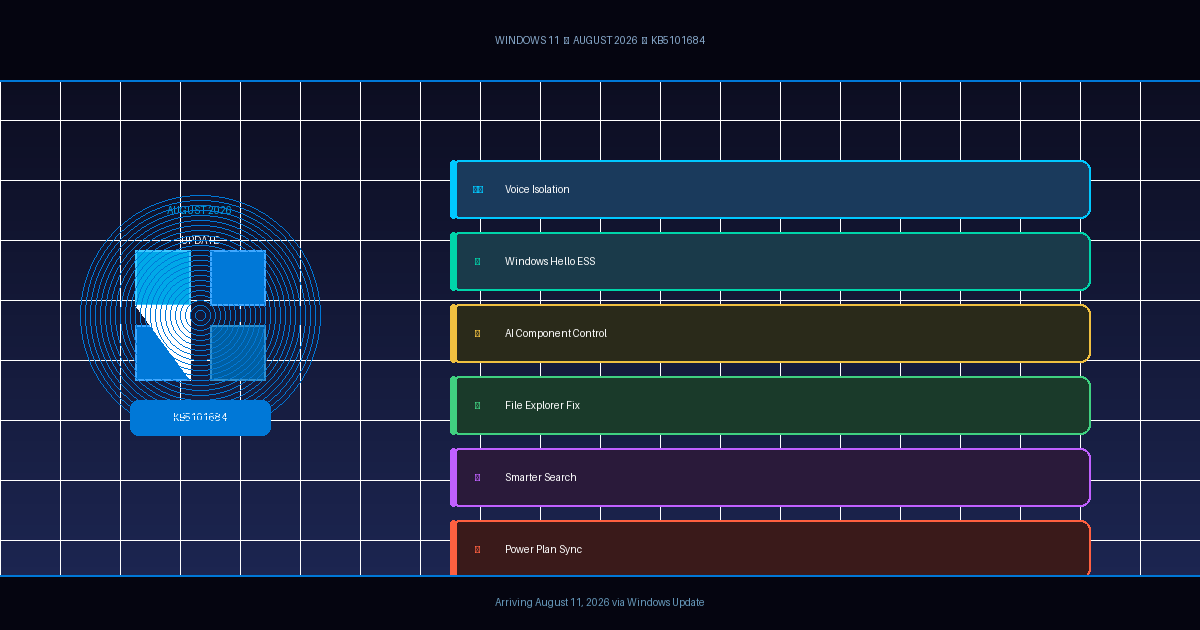
Microsoft’s KB5101684 cumulative update arrives August 11 with Voice Isolation, smarter Search, and the ability to remove AI components from Copilot+ PCs.
After months of headline-grabbing AI features and sweeping architectural changes, Microsoft appears to be listening to a quieter but persistent complaint from Windows 11 users: just make the things that already exist work better. The company’s August 2026 cumulative update — KB5101684, building Windows 11 to version 26200.8973 for 25H2 and 26100.8973 for 24H2 — is set to roll out to stable-channel devices on August 11, 2026, and it reads less like a feature drop than a quality-of-life overhaul.
That said, there are a few genuinely notable additions buried in the changelog, and at least one that signals a meaningful shift in how Microsoft thinks about AI in the operating system.
Voice Isolation Comes to Voice Access
The most substantive new capability in KB5101684 is Voice Isolation for Voice Access, Microsoft’s hands-free desktop control tool. For users who rely on voice commands — whether due to accessibility needs or simply because they prefer it — background noise has always been the enemy. Typing sounds, HVAC hum, a nearby conversation: all of it could muddle recognition rates.
The August update addresses this with three configurable speech recognition modes, accessible under Settings → Voice Access → Improve speech recognition:
- Voice Isolation filters out both background noise and nearby speakers. It requires a one-time voice setup to calibrate the system to the user’s voice.
- Remove background noise only suppresses ambient sounds — keyboard clicks, doors, street noise — without any additional setup.
- No filtering passes raw microphone input directly to the recognition engine.
This tiered approach is smart. Not every user wants or needs deep isolation, and requiring setup for the most aggressive mode ensures that the system only does extra processing when the user has explicitly opted in. Voice Access also expands language support in this update with the addition of Korean.
Windows Hello ESS Reaches External Fingerprint Readers
Windows Hello Enhanced Sign-in Security (ESS) has historically been the exclusive domain of built-in biometric sensors — the kind embedded directly in a device’s chassis and tied tightly to security processors. Extending it to external USB fingerprint readers is a meaningful expansion, particularly for desktop users and those running Copilot+ PCs without native fingerprint hardware.
The feature can be toggled on in Settings → Accounts → Sign-in options → Enhanced sign-in security. Compatible ESS readers from supported peripheral manufacturers will now qualify for the stronger authentication guarantees that ESS provides, including in-sensor matching that keeps biometric data off the main CPU.
First previewed in the January 2026 optional update, the ESS peripheral support is now beginning a broader rollout through the August Patch Tuesday.
Copilot+ PC Users Can Now Remove the Image Generation AI Component
This one is small, but it matters as a statement of direction. Starting with KB5101684, Copilot+ PC users can uninstall the Image Generation AI component — the on-device model that powers features like Cocreator in Paint and Generative Erase in Photos.
Until now, AI components on Copilot+ PCs were largely treated as system features: present, integrated, and not going anywhere. The ability to remove at least one of them suggests Microsoft is beginning to acknowledge that not every user wants every AI feature, and that disk space and privacy preferences are legitimate reasons to opt out.
It is a narrow opening — only Image Generation is removable in this release — but the pattern it establishes is worth watching. If Microsoft continues extending uninstall options to other AI components over future updates, it would represent a meaningful correction to the “AI everywhere, by default” approach that has drawn criticism since Copilot+ PCs launched.
File Explorer Finally Gets Human-Readable File Sizes
This is one of those fixes that, once you know it’s coming, makes every day before it slightly more annoying. Windows has displayed file sizes in the Details view of File Explorer exclusively in kilobytes for years — meaning that a 2.4 GB video would show up as something like “2,457,600 KB,” requiring mental arithmetic that no one should have to do.
KB5101684 changes this so that file sizes are displayed in the appropriate unit: KB, MB, or GB depending on scale. It is, frankly, the behavior every other operating system has used for as long as most people can remember, and it is genuinely nice to see it land.
The update also adds middle-click support for folders in the File Explorer address bar and the Home page — clicking the scroll wheel on a folder path now opens it in a new tab. Microsoft has also fixed a gray flash during Home page loading, an issue that caused pages to scroll back to the top unexpectedly, and thumbnail quality in the Recommended section has been improved.
Windows Search Gets Smarter About Partial Matches
Search in Windows 11 has improved steadily over the past year, but this update adds a few meaningful refinements. The engine can now surface results with as few as two characters typed, and it handles partial app names and common misspellings more gracefully than before. Settings search has also been tuned to prioritize more relevant results higher in the list.
The broader search scope — pulling from local storage, cloud services, and connected content simultaneously — has also been improved in terms of reliability and speed. These are incremental gains, but they compound.
Touchpad Customization, Power Settings, and More
The update extends touchpad controls under Settings → Bluetooth & devices → Touchpad, giving users the ability to adjust base scroll and zoom gesture speeds and enable accelerated scrolling — a feature that increases gesture velocity the longer a gesture continues, making it much faster to navigate long documents.
Power management gets a consistency fix that many users will appreciate: changes to display timeouts, sleep timers, and power button behavior made through Settings will now apply to all power plans, not just the active one. This has been a source of confusion for years, with users discovering that switching power plans silently reverted their carefully configured sleep settings. Battery threshold configuration for Energy Saver is also restored in this update.
Secure Boot Certificate Rollout Continues
Microsoft is also continuing the rollout of updated Secure Boot certificates through Windows Update to consumer and unmanaged business devices. The original certificates began expiring in June 2026. The company says that devices that haven’t yet received the new certificates will continue to start and operate normally — standard Windows updates will still install — but the updated certificates will roll out automatically over the coming months. Users can also install them manually via a Microsoft support page if they want to get ahead of the automatic deployment.
The Bigger Picture
KB5101684 is not a transformational update. There is no new flagship feature to demo, no major architectural announcement to parse. What it offers instead is evidence that Microsoft’s quality-improvement effort under the Windows K2 initiative — a project aimed at cleaning up reliability, consistency, and long-standing user friction — is yielding results in a methodical way.
The ability to uninstall AI components is the most philosophically interesting change here, and it will be worth watching whether Microsoft expands it to other models and modules in coming months. If so, KB5101684 may be remembered less for Voice Isolation or file size units and more for quietly shifting the relationship between Windows 11 and the AI features layered on top of it — from “included whether you want them or not” to something closer to user choice.
The August 2026 Security Update lands on August 11, 2026. As always, it is worth giving the first few days of deployment a pass and waiting to see whether any early adopters surface compatibility issues before applying the update to production machines.
Sources: Pureinfotech, Windows Central, The WinCentral


