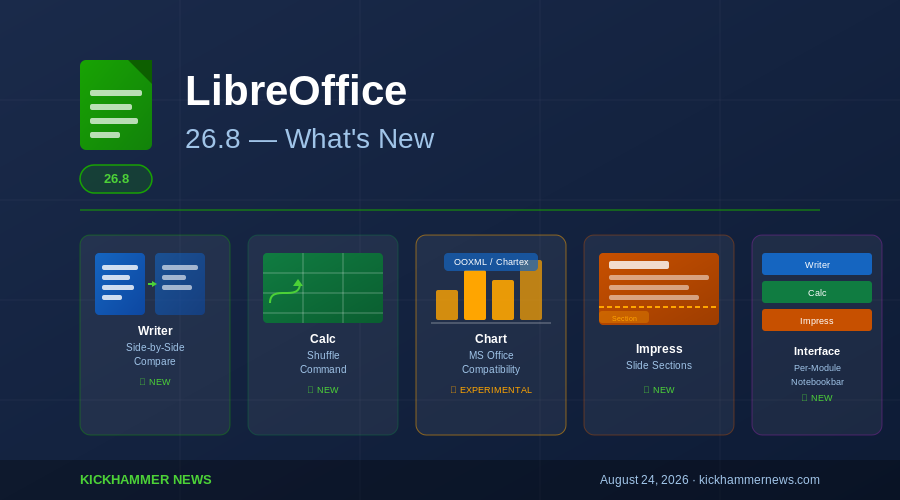
The Document Foundation is putting the finishing touches on LibreOffice 26.8, the open-source office suite’s latest major release, due at the end of August 2026. After entering beta testing in early July, the suite is now approaching its stable debut with a broad set of improvements spanning every major application — Writer, Calc, Impress, Draw, and Chart — along with meaningful gains in Microsoft Office file compatibility that could matter to organizations still straddling the fence between paid and free productivity software.
Side-by-Side Document Comparison Comes to Writer
The headline feature for most users will land in LibreOffice Writer: infrastructure to support comparing documents side-by-side. This is a workflow staple in Microsoft Word and one that LibreOffice users have long had to work around by opening two windows manually. With 26.8, the foundation is now built into Writer’s core, giving power users — legal professionals, editors, academics, and technical writers — a more fluid way to review versions without juggling external tools.
Beyond side-by-side comparison, Writer in 26.8 also significantly improves load times for large documents containing many images. This is a quality-of-life fix that will be immediately felt by anyone who regularly works with illustrated manuals, annual reports, or academic papers with embedded figures. The previous behavior — where Writer could stall for several seconds or more when opening heavy files — has been a persistent complaint in community forums, and this release addresses it directly.
A new Draft view mode is also being added to Writer. This strips the document down to its text and basic formatting, eliminating page margins, headers, footers, and decorative elements. It mirrors Word’s “Draft” layout and is useful for writers who want minimal distractions while working through long-form documents.
Calc Gets a Shuffle Command
LibreOffice Calc is gaining a shuffle command that randomizes the order of cells within a selected range. This sounds minor, but it fills a gap that spreadsheet users — particularly those working in education, statistics, or game design — have historically handled with workarounds involving RAND() functions and manual sorting. A native shuffle removes that friction and brings Calc one step closer to feature parity with Google Sheets, which has offered similar functionality.
Chartex Support Deepens Microsoft Office Interoperability
Perhaps the most strategically significant addition in LibreOffice 26.8 is experimental support for importing and re-exporting Chartex chart types. Chartex is the chart format used in newer versions of Microsoft Office and saved inside OOXML files — the format behind .docx, .xlsx, and .pptx. Until now, LibreOffice has had only limited ability to handle these newer chart types, meaning that documents with advanced Excel or PowerPoint charts would often degrade or disappear when opened in LibreOffice.
This is a recurring friction point for enterprise users working in mixed environments where some colleagues use Microsoft 365 and others rely on LibreOffice. The new Chartex support is marked as experimental in 26.8, meaning edge cases may exist, but the core import and export roundtrip now works. For IT departments evaluating LibreOffice as a cost-reduction measure, this improves the practical argument for switching.
Draw Gains Ergonomic Mouse Wheel Control
LibreOffice Draw, the suite’s vector graphics and diagram editor, is getting a small but appreciated usability improvement: the ability to swap mouse wheel zoom and scroll behavior. By default, scrolling the wheel pans the canvas; with the option enabled, it zooms. Users who work extensively in Draw have requested this toggle for years, particularly those coming from other illustration or CAD tools where mouse wheel zoom is the default expectation.
Interface Customization: Per-Module Notebookbar Colors
LibreOffice 26.8 introduces per-module color theming for Notebookbars — the alternative tabbed toolbar interface that the suite has offered as an opt-in replacement for the classic toolbar. With this change, each LibreOffice application can have its own distinct Notebookbar background color, making it immediately obvious whether you are in Writer, Calc, Impress, or Draw at a glance.
This is part of a broader effort to give LibreOffice a more cohesive and modern visual identity. The Notebookbar has been gradually maturing as an interface choice, and per-module color theming moves it closer to something enterprise deployments can roll out confidently.
A Donation Banner — And What It Signals
LibreOffice 26.8 will also add a donation banner to its Start Center, the home screen that greets users when no document is open. The Document Foundation has been transparent about its funding constraints — LibreOffice is developed by a relatively small core team supplemented by community contributors and corporate sponsors — and the banner is a direct appeal to the suite’s large user base to contribute financially.
The addition of the banner reflects a real tension in the open-source office space. LibreOffice competes against Microsoft 365, which generates billions in subscription revenue annually, and Google Workspace, which benefits from Google’s scale. The Document Foundation operates on donations and corporate memberships. For a project of LibreOffice’s scope and ambition, that funding model requires occasional visibility into the contribution pipeline. Whether the banner converts meaningfully remains to be seen, but it is an honest acknowledgment of how the project sustains itself.
Timing and Context
LibreOffice 26.8 arrives at a moment of genuine momentum for alternatives to proprietary office software. France’s continued push toward digital sovereignty and Linux adoption has drawn attention to open-source productivity tools. The ongoing Windows 10 end-of-support countdown — set to conclude in October 2026 — is prompting organizations to reassess their software stacks, and some are finding that a LibreOffice-on-Linux combination offers a credible path forward at dramatically reduced licensing costs.
Microsoft 365 continues to dominate the enterprise market, but LibreOffice’s regular release cadence, cross-platform availability, and improving Microsoft file format compatibility make it an increasingly viable option for organizations willing to invest in migration planning. The 26.8 release does not close the gap entirely — Microsoft Word’s collaboration features, SharePoint integration, and polish remain ahead — but it narrows it in places where it matters most to cost-conscious IT teams.
How to Get It
LibreOffice 26.8 is expected to reach its stable release by the end of August 2026. Downloads will be available from the Document Foundation’s official site at libreoffice.org. Users currently on LibreOffice 26.2 can expect upgrade packages through their standard distribution channels on Linux, as well as direct installers for Windows and macOS.
For those who want to test the beta now, LibreOffice 26.8 Beta 1 has been available since early July and can be downloaded from the Document Foundation’s QA blog.
Sources: Phoronix, The Document Foundation QA Blog, LibreOffice Release Notes (Work in Progress)


