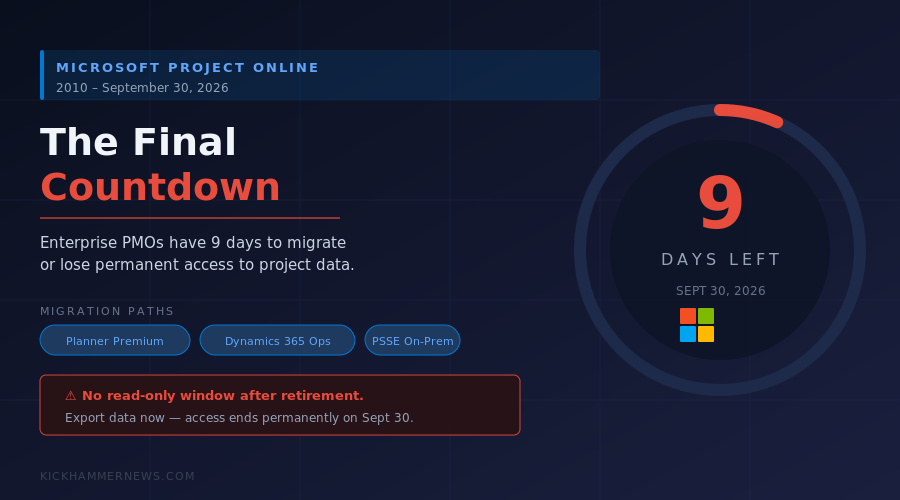
The clock is nearly out. On September 30, 2026 — nine days from today — Microsoft Project Online goes dark for good. The cloud-based project portfolio management platform that hundreds of thousands of organizations have relied on for over a decade will simply stop serving requests. No grace period. No read-only mode. Just silence.
For enterprises still running active Project Online environments, the consequences range from inconvenient to catastrophic. Project Web App (PWA) will stop responding, OData feeds will return HTTP 410 Gone, the Project Professional desktop client’s sync connection will break, timesheets will cease functioning, and the Enterprise Resource Pool — the backbone of multi-project resource planning for many PMOs — will become completely unreachable.
If your organization is among those still scrambling, you’re not alone. But you’re running out of time faster than you may realize.
How We Got Here
Microsoft announced Project Online’s retirement in late 2024, giving customers a multi-year runway. Sales to new customers officially ended October 1, 2025. The formal retirement date of September 30, 2026 was set early enough to allow enterprise migration cycles of 8–12 months.
The problem is that “early enough” didn’t translate to “everyone moved in time.” A combination of budget cycles, migration complexity, organizational inertia, and the sheer depth of Project Online integrations — spanning SharePoint workflows, Power Platform automations, Teams dashboards, and Dataverse connections — left a significant tail of unprepared organizations.
Some reached the September 1, 2026 recommended data export deadline without having exported anything. Others completed migrations on paper but haven’t validated that their Planner Premium or Dynamics 365 Project Operations environments are fully operational.
Microsoft made the situation worse in April 2026, when it proactively disabled new tenant creation for Project Online and decommissioned a range of SharePoint workflows, stripping portfolio Phase and Stage functionality weeks before the hard cutoff. For organizations still relying on those features, the writing was on the wall — but some kept hoping for an extension that was never going to come.
What Shuts Down on September 30
To be precise about what “retirement” means: Project Online is a SharePoint-based service hosted by Microsoft. When the retirement switch is thrown, Microsoft will decommission the infrastructure behind it. That means:
- Project Web App (PWA) will return an error page.
- OData reporting feeds (used by Power BI dashboards, Excel data connections, and third-party tools) will return 410 Gone.
- The Project Online sync built into Project Professional desktop client will fail to connect.
- Timesheet and approval workflows will stop processing.
- Resource Plans and the Enterprise Resource Pool will be inaccessible.
- Power Platform connectors to Project Online’s legacy schema will break, disabling any automations built on top of it.
There is no formal announcement of a post-retirement data retrieval window. Microsoft has offered no commitment to a “read-only” period. The practical interpretation: when the lights go off on September 30, they go off permanently.
The Financial Reality
Industry analysts have tried to quantify the exposure. For a mid-sized enterprise running 50–200 active projects through Project Online, the estimated financial impact of an unplanned cutover includes roughly $712,500 in PMO productivity downtime, $525,000 in contributor-side disruption, and $300,000–$600,000 in emergency consulting and recovery costs — totaling well over $1 million before accounting for project delays or compliance failures tied to audit trails locked inside an inaccessible system.
These aren’t worst-case numbers. They’re mid-range estimates for organizations that still have Project Online as their system of record when September 30 arrives.
Your Migration Paths — And Their Trade-Offs
Microsoft has funneled departing Project Online customers toward three destinations, each with different fit profiles:
Planner Premium is Microsoft’s consumer-facing evolution, built into Microsoft 365. It covers task management, basic dependency tracking, and team-level project views. It does not replicate the Enterprise Resource Pool, lacks robust portfolio analytics, and has constrained custom field support. For teams running a handful of discrete projects without complex resource contention, Planner Premium is probably sufficient. For PMOs managing dozens of concurrent projects with resource leveling requirements, it falls significantly short.
Project Server Subscription Edition (PSSE) is the on-premises answer for organizations that need the full PPM feature set — portfolio governance, capacity planning, demand intake, executive reporting — but are either unwilling or contractually unable to rely on a cloud service for this data. PSSE requires dedicated infrastructure investment and ongoing IT support. It’s the right call for regulated industries or data-sovereignty requirements.
Dynamics 365 Project Operations is Microsoft’s enterprise-grade offering and the most capable successor to Project Online’s PPM features. It integrates natively with Dynamics 365 Finance and Operations, gives CFOs actual financial project accounting, and supports the kind of cross-portfolio visibility that CFOs and program boards expect. The catch is cost and implementation complexity: Project Operations is a full Dynamics 365 module, and migrating to it is closer to an ERP implementation than a platform upgrade.
Third-party tools like Smartsheet, monday.com, Wrike, and Planview have also aggressively courted Project Online refugees, offering migration tooling and competitive pricing. Some enterprises will find that leaving the Microsoft ecosystem entirely is more practical than navigating the complexity of Microsoft’s own successor landscape.
What To Do Right Now
If your organization hasn’t fully migrated, September 21 leaves you with a very narrow window:
Export your data immediately. Use Microsoft’s built-in export tools within Project Online while the service is still live. Export project plans (.mpp files), custom field definitions, resource data, and OData snapshots. Every day you wait is a day closer to losing this data permanently.
Audit your integrations. Identify every Power Platform flow, Power BI report, and Teams tab that connects to Project Online. These are the things that will fail silently on October 1 and generate frantic support tickets weeks after migration.
Choose your landing zone. If you haven’t selected a successor platform, choose one now — imperfectly — rather than delaying further. An imperfect Planner Premium environment on October 1 is infinitely better than no environment.
Communicate to stakeholders. Project managers, resource managers, PMO directors, and finance teams relying on Project Online reports need to know what will change and when. Surprise outages are worse than planned transitions, even ugly ones.
The Broader Lesson
Project Online’s retirement is part of Microsoft’s larger strategic shift: collapsing its project management portfolio from a fragmented ecosystem of standalone tools (Project Online, Project Server, Project Professional) into the Microsoft 365 platform umbrella. Planner, Teams, and Dynamics 365 are the future Microsoft has bet on.
For organizations that grew large, sophisticated PMOs on top of Project Online’s richer feature set, that future involves trade-offs and transition costs that Microsoft’s own migration guides tend to understate. The honest assessment is that none of the successor tools fully replicate what Project Online offered at its depth.
But the deadline is real, and it does not move. Nine days, and counting.
KickHammer News covers enterprise software and technology. If your organization is navigating the Project Online migration and wants additional coverage on specific migration tooling or successor platform comparisons, reach out.


