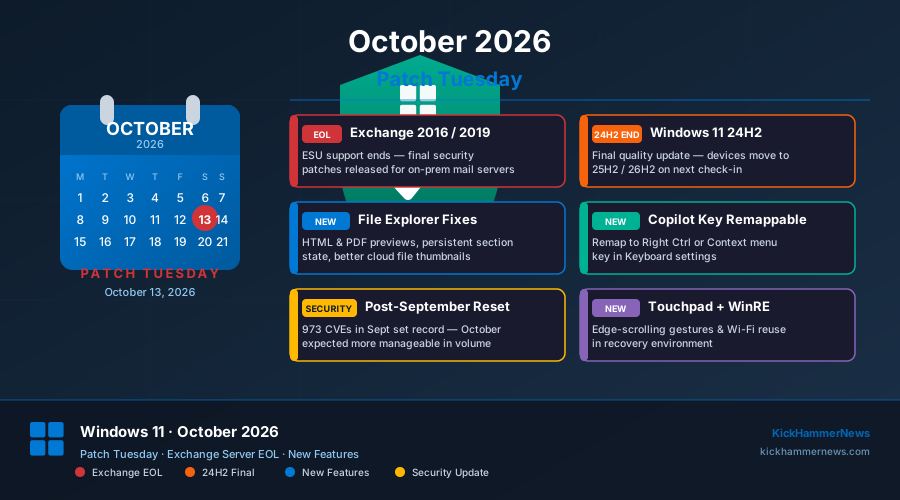
With October’s Patch Tuesday landing this coming Monday, October 13, enterprise IT administrators are bracing for what Microsoft is billing as a milestone release—one that closes the chapter on Exchange Server 2016 and 2019 while simultaneously delivering a refined Windows 11 experience packed with productivity improvements, a revamped Copilot key, and long-awaited File Explorer fixes.
The update arrives as organizations are still catching their breath after September’s record-shattering 973 CVE release, which Ivanti and other security researchers dubbed the “Patch Apocalypse.” October’s count is expected to drop back to a more manageable—though still substantial—figure, with the usual Microsoft portfolio of Windows, Office, Azure, and browser components in scope.
Exchange Server 2016 and 2019: End of the Road
Perhaps the most significant milestone in this Patch Tuesday is one measured not in new features, but in finality: Exchange Server 2016 and 2019 are reaching the end of their Extended Security Update (ESU) support window. After years of security patches, Microsoft will no longer release security fixes for these on-premises mail server versions after October 2026.
For organizations still running either product—and there are more than most would expect, particularly in regulated industries, air-gapped environments, and mid-market firms that pushed back cloud migrations—this represents a genuine deadline. With no further security updates, any Exchange 2016 or 2019 server left running will accumulate unpatched vulnerabilities at an accelerating rate. The email attack surface is broad enough that threat actors actively target unpatched mail servers, as the ShinyHunters Oracle PeopleSoft breach earlier this year demonstrated.
Microsoft has been vocal about its push toward Exchange Online and Microsoft 365, but the volume of organizations still on-premises speaks to the complexity of migrating regulated workloads, data sovereignty concerns, and the sheer inertia of legacy infrastructure. The October 13 patches represent the last safety net.
Enterprises that have not yet completed their migration planning should treat this Patch Tuesday as a forcing function. Microsoft’s migration tools have improved substantially over the past two years, and Exchange Online now supports hybrid configurations that allow gradual transitions without a hard cutover.
Windows 11 24H2 Gets Its Swansong
October 13 is also the final update for Windows 11 24H2 (Home and Pro), marking the end of support for that feature release. The update will still install automatically via Windows Update—it’s just the last one in that product lifecycle cadence.
Users still on 24H2 should expect the automatic prompt to move to 25H2 or 26H2. Organizations managing fleets through Intune or WSUS should verify their deployment rings are ready to receive the successor release. With the Windows 10 ESU countdown also ticking toward its own October deadline, IT teams face a compounding refresh wave this autumn.
What’s New in Windows 11 on October 13
Beyond the security and lifecycle milestones, October’s Patch Tuesday delivers a substantive wave of Windows 11 improvements across accessibility, productivity, and the physical device experience.
File Explorer Finally Catches Up
Two File Explorer pain points that slipped through in recent releases are finally addressed. The Preview pane can now display downloaded HTML files—something that became a frustrating limitation after Microsoft tightened security handling of internet-zone content—and PDF files now preview automatically without a manual trigger. The Home page of File Explorer will also remember which sections a user expanded or collapsed between sessions, eliminating the tedious habit of re-expanding Favorites or Quick Access every time Explorer opens.
The Details pane receives improved thumbnail reliability for cloud files, addressing a long-standing complaint from OneDrive-heavy enterprises where file icons would sometimes refuse to render properly for documents not fully downloaded to local storage.
Copilot Key Gets Flexibility
In a quiet but important concession to user pushback, Microsoft is enabling the Copilot hardware key to be remapped. Starting with October’s update, users can reassign it to Right Ctrl or the Context menu key via Settings > Bluetooth & devices > Keyboard. The physical Copilot key has been a polarizing addition to newer hardware—enthusiastically embraced by productivity power users who appreciate instant AI sidebar access, but widely resented by typists and developers who found themselves accidentally triggering it.
The ability to remap to the Right Ctrl key in particular will be welcomed by users of keyboards where that physical key was sacrificed to accommodate the Copilot button layout.
Accessibility and Visual Enhancements
A new accessibility option under Settings > Accessibility > Visual Effects allows applications to launch maximized by default rather than restored. This targets users who consistently work in full-screen app layouts and tired of the extra click to maximize windows.
The Magnifier application receives a visual refresh with updated toolbar icons and spacing—a long overdue modernization of one of Windows’ most-used assistive tools, which had retained a dated UI for several years.
Emoji 17.0 arrives with the October update, adding the latest Unicode-approved characters. The Ebrima font also expands to cover the Garay and Beria Erfe writing systems, extending Windows’ coverage of African language scripts.
Wallpaper handling gets meaningful improvements: transitions between wallpapers are smoother, preview support for higher-resolution images has been added, and DIB (Device Independent Bitmap) format images are now supported. The slideshow option has been extended to work across multiple virtual desktops.
Touchpad Precision Scrolling
Precision touchpad users gain two new scrolling gestures: one-finger vertical scrolling from the left or right edge, and continued scrolling via an upward swipe without lifting the finger—the latter a feature familiar to anyone who’s used macOS trackpads and long requested in the Windows ecosystem. These gestures require a certified Precision Touchpad and will roll out via Controlled Feature Rollout rather than immediately landing for all users.
Kiosk Mode Tightened
Administrators managing kiosk or shared-device deployments will find three additional keyboard shortcuts blocked by kiosk policy: Windows+Tab, Windows+A, and Windows+C. This closes gaps that allowed users in restricted environments to access the Task View, Action Center, and Copilot sidebar in ways that violated the intended kiosk configuration.
Camera Roll Backup to OneDrive
A new Camera Roll Backup option in Settings allows users to back up photos taken on a Windows device directly to OneDrive from the Settings app, without needing to configure it through the OneDrive client separately. This mirrors a capability that has existed in mobile operating systems for years and simplifies photo management for users who keep a Windows device with a camera or import photos regularly.
WinRE Recovery Gets Remote Management
The Windows Recovery Environment receives two enhancements: saved Wi-Fi profiles can now be reused by default during recovery, removing a common frustration where a device in WinRE would need manual network reconfiguration before repair steps could proceed. A new remote recovery management plugin also extends device management capabilities in WinRE to MDM providers, enabling IT teams to initiate and monitor recovery scenarios remotely through Intune and compatible management platforms.
Security Context: After September’s Deluge
September 2026’s Patch Tuesday broke records with 973 CVEs, drawing widespread commentary about the escalating pace of vulnerability discovery and the operational burden on security teams. Only two of those CVEs were reported as actively exploited at the time of release—CVE-2026-85880 and CVE-2026-81963—keeping the severity picture manageable in practice, though the volume alone remains a systemic concern.
October’s forecast from Ivanti and other patch management vendors suggests a more normal month in terms of count, though the portfolio of affected products remains broad: Windows across all supported versions, Office components, Exchange (one last time), browsers, and Azure services.
Organizations still repairing September damage—including the Excel cut-and-paste failure and the File History/Windows Backup regression introduced by September updates—will want to verify whether October’s release contains the official fixes for both issues, which Ivanti’s October forecast identified as expected.
The Office 2016/2019 Conversation
Separate from Exchange, the Office 2016/2019 situation has become its own subplot in enterprise patch management. Both versions are past end of support, but Microsoft has continued shipping security patches for them—a policy that has created confusion about whether organizations can safely rely on these versions longer than the official lifecycle suggests.
A Microsoft 365 Apps update (KB5002907) complicated matters further when it reportedly caused Office 2016 and 2019 installations to be removed or deactivated on some systems, forcing Microsoft to pause the update. The incident underscored the operational risk of running versions well past their intended support window and the difficulty Microsoft itself faces in maintaining clean separation between supported and unsupported product families.
The practical advice from security professionals aligns: organizations still running Office 2016 or 2019 should use October’s Patch Tuesday as a planning trigger. The window of informal extended support will not remain open indefinitely, and each month the risk of a critical unpatched Office vulnerability grows.
Preparing for October 13
With Exchange going EOL, 24H2 ending, and a slate of new Windows features arriving, October 13 is more than a routine monthly update. IT teams should:
The October 2026 Patch Tuesday is one of the more consequential releases in recent memory—not because of dramatic zero-day exploits, but because it closes several long-running chapters in the Windows and Exchange lifecycle story while simultaneously pushing the platform forward in ways users will notice immediately.


