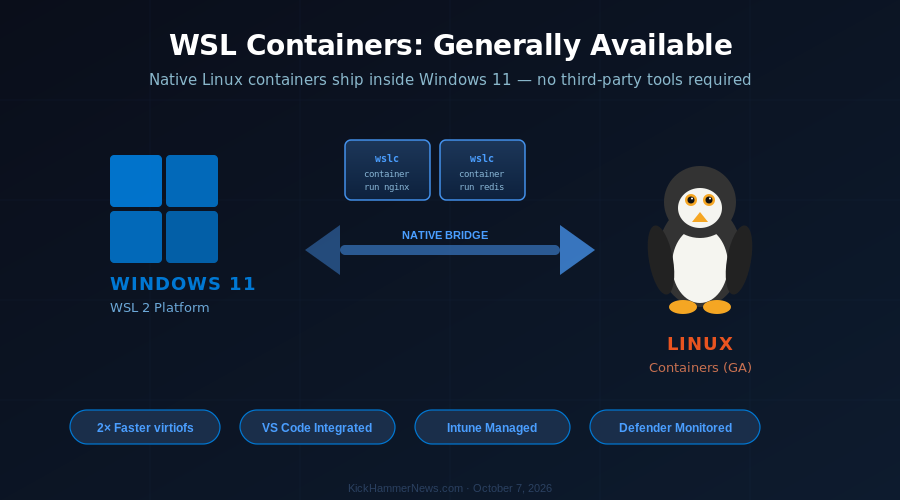
Microsoft has crossed a milestone that would have seemed almost unthinkable a decade ago. The company that once called Linux a “cancer” has now embedded native Linux container support directly into Windows 11, with the Windows Subsystem for Linux (WSL) Containers feature reaching general availability on September 29, 2026. For developers, DevOps engineers, and anyone building cloud-native software on a Windows machine, this changes the game in a meaningful way.
From Cancer to Core Feature: A Decade of Linux Love
The journey is worth noting. In 2001, then-CEO Steve Ballmer infamously described Linux as a “cancer that attaches itself in an intellectual property sense to everything it touches.” Twenty-five years later, Microsoft’s corporate vice president Logan Iyer stood at Build 2026 and declared that “WSL is central to our commitment to making Windows the best place to build, run and manage Linux workloads.” That pivot — from cancer to cornerstone — is perhaps the most remarkable repositioning in enterprise software history.
WSL launched in 2016, giving Windows developers a way to run a Linux command-line environment without dual-booting or virtual machines. WSL 2, which arrived in 2020, overhauled the architecture with a real Linux kernel, enabling graphical app support and a much more faithful Linux experience. In late 2025, Microsoft open-sourced WSL 2 itself. But until now, containers — the foundational unit of modern cloud development — still required a third-party solution like Docker Desktop to run on Windows.
That changes with WSL Containers GA.
What WSL Containers Actually Does
WSL Containers gives developers the ability to build, run, and manage Linux containers directly on Windows 11 without reaching for a separate tool. The feature ships a new CLI binary, wslc.exe, accessible via wsl --update, along with container.exe as a familiar alias for those comfortable with existing container workflows.
The command set is designed to map closely to what developers already know. If you have muscle memory for container commands — pulling images, starting containers, managing networks — wslc should feel immediately familiar. Microsoft explicitly built the CLI so developers can “use their existing muscle memory when running Linux containers,” reducing the learning curve to near zero.
Under the hood, WSL Containers ships with significant technical improvements:
virtiofs file system: A new default file system that delivers up to 2x faster performance when accessing Windows files from within Linux environments — a pain point that has plagued WSL users since the beginning.
Consomme networking: A new default networking mode that improves compatibility with applications expecting standard Linux networking behavior.
Container restart support: Previously unavailable during preview, containers can now be restarted without losing configuration.
Full lifecycle management: File copying, health checks, network management commands, real-time event monitoring, mount support, and configurable storage locations are all included.
Docker Compose (forthcoming): Microsoft has confirmed that `wsl compose up` is in active development, intended to work with existing `compose.yaml` files unchanged.
Developer Tooling Integration
Microsoft moved quickly to bring the broader ecosystem along. VS Code Dev Containers, .NET Aspire, and the VS Code Containers extension now all support WSL Containers as their default container driver on Windows. For developers who build inside VS Code — which is the majority of developers using Windows — this means containers will “just work” without any additional configuration.
A WSL Containers API also ships alongside the CLI, enabling Windows applications to programmatically launch and interact with Linux containers. The API is available for C, C++, and C#/WinRT, opening the door for desktop applications to natively embed containerized Linux workloads. Microsoft’s own example use case: running local AI workloads inside a container, or running cloud-based containerized applications locally for testing.
Crucially, Microsoft is also sharing the underlying platform improvements — including virtiofs and Consomme networking — with third-party container tools. Docker Desktop, Podman Desktop, and Rancher Desktop will all benefit from the new infrastructure, making this a rising-tide play for the Windows container ecosystem rather than a walled garden approach.
Enterprise Controls: Security and Compliance Built In
For organizations that have been cautious about developer container usage, WSL Containers ships with first-class enterprise integration. Microsoft Defender for Endpoint now monitors container activity within WSL, giving security teams visibility into what’s running inside Linux containers on Windows devices. Microsoft Intune integration lets administrators enforce policies — including restricting developers to approved container registries, preventing unauthorized images from being pulled and run on corporate hardware.
This enterprise-grade manageability is what differentiates WSL Containers from the “install Docker Desktop and hope for the best” approach that many organizations have tolerated for years. IT departments now have the same management surface for containers that they have for everything else on Windows.
Why This Matters Now
The timing of the general availability release is no accident. Several industry currents are converging.
First, AI development has made containers more important than ever. Local AI workloads — running inference models, fine-tuning smaller models, testing RAG pipelines — increasingly live in containers. Developers building AI-powered applications need a frictionless local container environment. WSL Containers directly addresses this.
Second, cloud-native development has become the default, not the exception. Kubernetes, microservices, serverless functions — all of these assume Linux containers as the fundamental unit of deployment. A developer on Windows who can’t run containers locally without jumping through hoops is a developer working at a disadvantage. WSL Containers eliminates that gap.
Third, Microsoft’s developer strategy under the current leadership explicitly treats Windows as a platform that must compete for developer loyalty, not assume it. The GitHub Copilot era has made attracting developers a corporate priority. Native Linux container support is table stakes for a developer platform in 2026.
The Bigger Picture
WSL Containers GA is the latest data point in Microsoft’s decade-long effort to make Windows genuinely competitive for software development. It follows the open-sourcing of WSL 2, the deep integration of AI tooling into Visual Studio and VS Code, and the embrace of open-source that has made Microsoft one of the largest contributors to GitHub.
For developers who have been running Linux containers on macOS or dual-booting to Linux specifically to avoid the friction of container development on Windows, WSL Containers offers a reason to reconsider. The performance improvements with virtiofs, the enterprise manageability, and the seamless VS Code integration make this a first-class container experience — not an emulated workaround.
Whether WSL Containers is enough to draw significant developer mindshare back to Windows is an open question. But as developer platform moves go, it is one of the most substantive Microsoft has made in years. The company that called Linux a cancer has now made Linux containers a native Windows feature. Whatever else you want to say about Microsoft’s evolution, the irony is delicious — and the result is genuinely useful.
*WSL Containers is available now via wsl --update on Windows 11. Docker Compose support is expected in a future update.*


