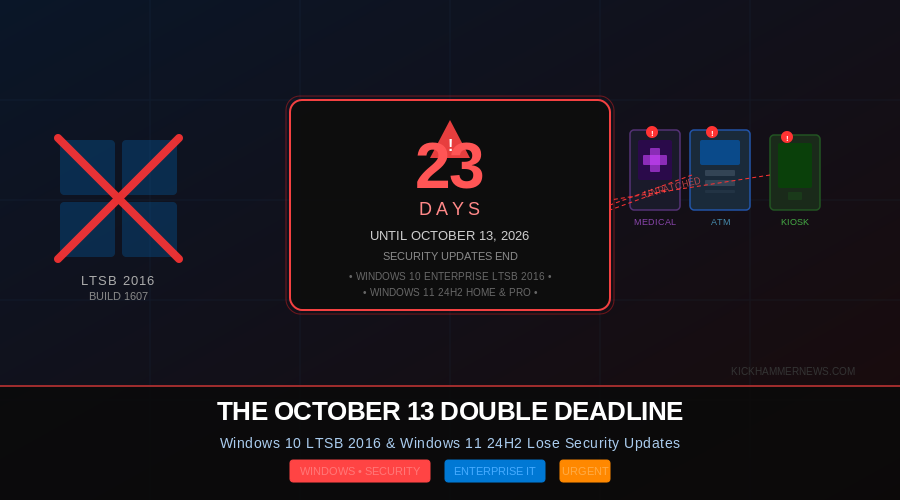
Twenty-three days. That is all the time remaining before Microsoft pulls the plug on two very different versions of Windows simultaneously — and the enterprise IT community is scrambling to deal with the fallout.
On October 13, 2026, Microsoft will end security updates for Windows 10 Enterprise LTSB 2016 and Windows 11 version 24H2 Home and Pro editions. The two deadlines could not be more different in character: one targets the forgotten industrial underbelly of corporate infrastructure, the other affects millions of everyday consumer and small-business PCs. Together, they form what is shaping up to be the most disruptive single-day Windows patching cutoff since the Windows 7 end of life in January 2020.
Microsoft officially issued its 30-day countdown notice on September 14, 2026 (message center ID MC1471964), giving IT administrators less than a month to act. The clock is running.
The Hidden Fleet: Why LTSB 2016 Is the Dangerous One
Most people have never heard of Windows 10 Enterprise LTSB 2016, and that is precisely the problem.
Released in 2016 as part of Microsoft’s Long-Term Servicing Branch (later renamed Long-Term Servicing Channel, or LTSC), this edition was purpose-built for devices that could not tolerate frequent feature updates — think factory floor human-machine interfaces, hospital imaging workstations, point-of-sale terminals, ATMs, airport kiosks, and critical infrastructure control panels. Organizations chose LTSB 2016 because it offered a decade of support without the disruption of Windows 10’s aggressive semi-annual update cadence.
That decade is now up.
The danger is not just that these systems will stop receiving patches after October 13. The danger is that many IT teams do not know where these machines are. LTSB devices are frequently deployed in environments that conventional endpoint-management solutions overlook — a kiosk bolted to a wall in a branch office, a controller cabinet on a factory floor, a bedside terminal in a hospital room. They often run isolated from standard Active Directory domains, they may not report to corporate patch management servers, and they may not appear in asset inventory scans.
Security researchers have consistently warned that LTSB endpoints make attractive targets precisely because they sit outside normal security workflows while still being connected to networks that attackers want to reach. Once October 13 passes and these systems stop receiving vulnerability fixes, any new Windows kernel or driver exploit discovered afterward becomes a permanent open door on every unpatched LTSB 2016 device.
“The systems involved are precisely the ones conventional endpoint-management inventories often miss,” wrote one senior IT analyst following Microsoft’s announcement. “You don’t know what you don’t know — until attackers find it first.”
The Consumer Side: Windows 11 24H2 Also Expires
Alongside the industrial problem sits a much larger consumer and SMB issue: Windows 11 version 24H2 Home and Pro editions hit their end-of-updates date on the same day.
Windows 11 24H2 launched in late 2024 as that year’s annual feature update. Home and Pro editions of Windows 11 receive 18 months of support after release, which puts the October 13, 2026 date squarely on the calendar. After that date, these editions will no longer receive monthly security updates or non-security quality updates.
The fix here is straightforward by comparison. Microsoft’s recommendation is simple: update to Windows 11 version 25H2, the 2025 annual update, which is already available. Enterprise and Education editions of Windows 11 24H2 are not affected — they receive 36 months of support, meaning they remain covered until October 2027.
Still, the risk of inaction is real. Small businesses and home users who do not actively manage Windows updates may find themselves unknowingly running unsupported software. The combination of an older hardware base and a user population that does not pay close attention to operating system versions creates a long tail of exposure.
Options for LTSB 2016: Upgrade or Pay
For organizations running Windows 10 Enterprise LTSB 2016, Microsoft has laid out two primary paths.
Path one is upgrading to Windows 11 Enterprise LTSC 2024, the current long-term servicing release. This is Microsoft’s preferred recommendation and the cleanest solution — LTSC 2024 brings an updated driver model, improved hardware compatibility, and a new decade of support. The catch is that some LTSB 2016 systems run on hardware that predates Windows 11’s hardware requirements, including the TPM 2.0 mandate that has blocked upgrades for millions of devices since 2021. Industrial hardware, in particular, may be locked to specific firmware versions or certified configurations that cannot simply be upgraded in place.
Path two is purchasing Extended Security Updates (ESU). Microsoft has made ESU available for Windows 10 Enterprise LTSB 2016 as a bridge for organizations that need more time. The program provides up to three additional years of security patches — at a price. ESU pricing scales upward each year, with costs doubling annually. Year one is manageable for most large organizations; by year three, the cumulative cost makes a hardware replacement or OS migration significantly more attractive. The ESU program for LTSB 2016 is separate from the broader Windows 10 ESU program that was established after the mainstream Windows 10 end of support in October 2025.
Microsoft has also noted that organizations with Microsoft 365 or Azure subscriptions may be able to access ESU at reduced rates through existing volume licensing agreements.
What IT Teams Should Do Right Now
With 23 days on the clock, the window for deliberate planning is closing. Security and IT operations teams should treat this as an active incident response scenario rather than a future project.
For LTSB 2016 systems, the immediate priority is discovery. Use network scanning tools, endpoint management platforms, and direct queries of any connected Windows devices to identify systems running build 1607 — that is the internal build number for Windows 10 Enterprise LTSB 2016. Any system that returns that build number needs to be categorized: can it be upgraded, does it need an ESU license, or does it need to be taken offline?
For Windows 11 24H2 Home and Pro, the action is simpler: ensure Windows Update is enabled and not blocked, and verify that affected systems pull down the Windows 11 25H2 update. Microsoft has made the update available through standard Windows Update channels, Windows Update for Business, and Windows Server Update Services.
Organizations should also review their patch management policies to ensure that any device leaving patch management scope on October 13 is accounted for in their risk register. Cyber insurance carriers have increasingly scrutinized whether covered organizations were running unsupported operating systems at the time of an incident, and an unpatched LTSB 2016 system that becomes a ransomware entry point after October 13 could complicate claims.
A Snapshot of How We Got Here
The pairing of these two deadlines is a symptom of how Windows’ lifecycle complexity has grown. Microsoft now maintains multiple support tracks simultaneously: mainstream consumer releases, Enterprise and Education variants with extended timelines, and the LTSC/LTSB family designed for long-lived industrial deployments. Each track has its own end date, and each end date carries different implications for different segments of the install base.
The LTSB 2016 deadline in particular closes a chapter on an era of Windows deployment philosophy. When LTSB 2016 launched, it represented Microsoft’s acknowledgment that not every Windows device could or should follow the rapid cadence of consumer feature updates. The industrial and embedded device market has since evolved — Windows 11 LTSC 2024 continues that tradition — but the transition from a decade-old locked platform to a modern one is never painless.
For the millions of devices affected on October 13, painless is no longer an option. The question now is whether IT teams can move fast enough in the next three weeks to avoid finding out what happens when they don’t.
Sources: Microsoft 365 Message Center (MC1471964); Microsoft Tech Community Windows IT Pro Blog; Microsoft Windows Lifecycle documentation; Insentra Group enterprise LTSB analysis; Windows Forum LTSB 2016 end of support coverage.


