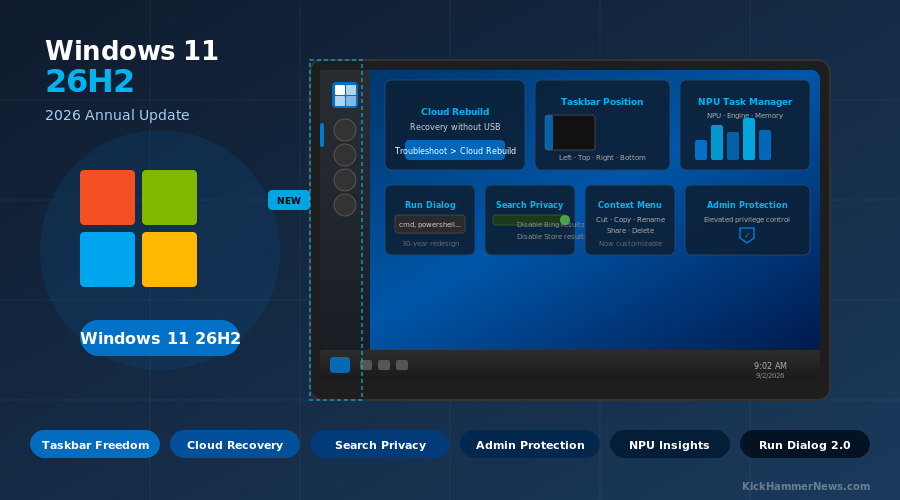
After years of user demands, petitions, and workaround tools, Microsoft is finally doing what millions of Windows users have wanted since Windows 11 launched: letting you move the taskbar. That long-awaited change is just one headline in a surprisingly rich wave of improvements arriving with Windows 11 version 26H2, the company’s annual feature update for 2026. With the release now officially in preview and a general availability window set for late September or early October, the 2026 Update is shaping up to be the most user-responsive version of Windows 11 yet.
A Tiny Package, a Large Footprint
If you’re expecting a slow, grinding upgrade process, you’ll be pleasantly surprised. Windows 11 26H2 is delivered as a 174KB enablement package — essentially a lightweight switch that activates code Microsoft has been quietly installing through monthly cumulative updates all year. The installation is expected to take just a few minutes, with no full OS reinstall required.
This is the same approach Microsoft used for version 25H2, and it reflects the company’s broader Windows K2 initiative — a multi-year effort to improve Windows through continuous, incremental refinements rather than big disruptive overhauls. For IT administrators and everyday users alike, that means less risk, faster deployments, and fewer surprises when the update lands.
The support lifecycle resets upon install: 24 months for Consumer editions (Home and Pro), and 36 months for Enterprise and Education — making upgrading a practical necessity for anyone still on Windows 11 24H2, whose Home and Pro editions reach end of support on October 13, 2026.
Taskbar: Finally, Freedom
The most symbolic change in 26H2 is taskbar repositioning. For the first time in Windows 11’s history, users can move the taskbar to the top, left, or right of the screen — not just the bottom. The setting lives in Settings > Personalization > Taskbar > Taskbar behaviors, and Microsoft says flyouts, tooltips, and animations will follow the taskbar wherever it goes.
Alongside repositioning, Microsoft is adding a Taskbar size toggle — Small or Default — giving laptop and tablet users a way to reclaim screen real estate without fighting the OS’s auto-scaling logic. It’s a small thing. It’s also exactly what users have been asking for since 2021.
Start Menu Gets Smarter and More Flexible
The Start menu is getting its most significant customization overhaul since Windows 11’s debut. Version 26H2 introduces three size options — Small, Large, and Automatic — letting users control how much of the screen the menu occupies. The “Recommended” section is renamed “Recent” throughout the OS, and users can now independently show or hide the Pinned, Recent, and All sections. For privacy-conscious users, there’s now an option to hide the account name and profile picture from the Start menu entirely.
Phone Link integration also improves: hovering over an item in the Recent section now surfaces a preview of recent messages and notifications without requiring you to open the app or pick up your phone.
The Context Menu Gets a Makeover — and User Control
Microsoft is redesigning the right-click context menu in File Explorer to reduce clutter and add something new: actual user control. A Customize menu option opens a dedicated Settings > Personalization > Context menu page where you can choose which commands appear, whether app extensions are shown, and whether legacy options like “Show more options” remain accessible.
OneDrive commands are being moved into their own submenu to stop flooding the main menu with sync-state options. The Refresh command is finally landing in the modern context menu, and commands like “Open file location” are being reorganized for faster access. It’s a long-overdue decluttering of one of Windows’ most-used UI surfaces.
Search Without the Noise
Windows Search is getting two changes that privacy-focused users will appreciate. First, a new “Show suggested search results” toggle in Settings > Search allows users to disable web results from Bing entirely in the Windows Search experience. A second option prevents Microsoft Store apps from appearing in search results.
Search indexing is also becoming smarter: rather than relying only on manually selected folders, Windows 11 will now use activity signals — recently opened files and frequently accessed locations — to automatically expand what’s indexed. A new “Search the contents of online files” toggle provides control over whether OneDrive content is included.
Cloud Rebuild: Recovery Without a USB Drive
One of the most practically useful features in 26H2 is Cloud Rebuild, a new recovery option available from the Windows Recovery Environment (WinRE). Unlike the existing Reset this PC function, Cloud Rebuild downloads a fresh Windows 11 image and the correct device drivers directly from Microsoft’s servers — no USB drive, no pre-staged recovery partition, no IT helpdesk required.
Users access it via Troubleshoot > Cloud Rebuild in WinRE, connect to Wi-Fi or Ethernet from within the recovery environment, and the system handles the rest, reinstalling the correct Windows version, edition, language, and drivers. Microsoft is also improving WinRE networking so that saved Wi-Fi profiles — including certificate-based ones — can be reused automatically during recovery, eliminating one of the most frustrating aspects of traditional recovery workflows.
Thirty Years Late: The Run Dialog Gets a Redesign
In a moment that will resonate with anyone who has opened a Run dialog since Windows 95, Microsoft is finally modernizing the classic Win+R interface. The redesigned Run dialog adopts Fluent Design principles — rounded corners, updated spacing, a wider text field, and a “recent commands” section above the input box. Matching apps appear with their icons as you type, and pressing F4 expands the full command suggestions list.
This change is optional and toggleable from Settings > System > Advanced — a sensible choice given that many power users have decades of muscle memory tied to the old dialog. But for new users and anyone who has grown frustrated with a UI element that predates USB, it’s a welcome update.
Security and Hardware Visibility
Administrator Protection is being revived in 26H2 after earlier testing pauses. The feature limits silent system-level changes and requires explicit authorization for elevated actions, reducing the attack surface for malware that exploits elevated privileges by default.
Task Manager gains new optional columns for NPU usage, NPU Engine, NPU Dedicated Memory, and NPU Shared Memory — giving developers and power users visibility into how AI workloads interact with Neural Processing Units now common in Copilot+ PCs. A new Isolation column shows which processes run inside an AppContainer, improving security transparency without requiring third-party tools.
Windows Update: Less Friction, More Control
The Windows Update experience is getting a thoughtful redesign. A new pause interface lets users postpone updates via a calendar picker for up to 35 days, extendable indefinitely — removing the hard caps that previously frustrated users during busy periods. Driver, .NET, and firmware updates will be coordinated with the monthly quality update to reduce the number of required restarts. After updates install, Windows will now restore previously open apps more quickly.
During first-run setup (OOBE), users will be able to skip the update installation step and go straight to the desktop — a change that speeds up new PC configuration significantly.
The Bigger Picture
Windows 11 26H2 won’t feel dramatic the moment it lands, largely because most of its features have already arrived via cumulative updates throughout 2026. But taken together, the changes represent something Microsoft has struggled to deliver consistently: a version of Windows that listens. Taskbar repositioning, customizable context menus, search privacy controls, smarter recovery — these aren’t new ideas. They’re things users have requested for years.
Whether that responsiveness continues into 2027 depends on how Microsoft balances the Windows K2 quality focus against its increasing appetite to embed AI everywhere. For now, 26H2 earns its update — not through spectacle, but through discipline.
Windows 11 26H2 is available in the Release Preview channel now. General availability is expected late September or early October 2026.


