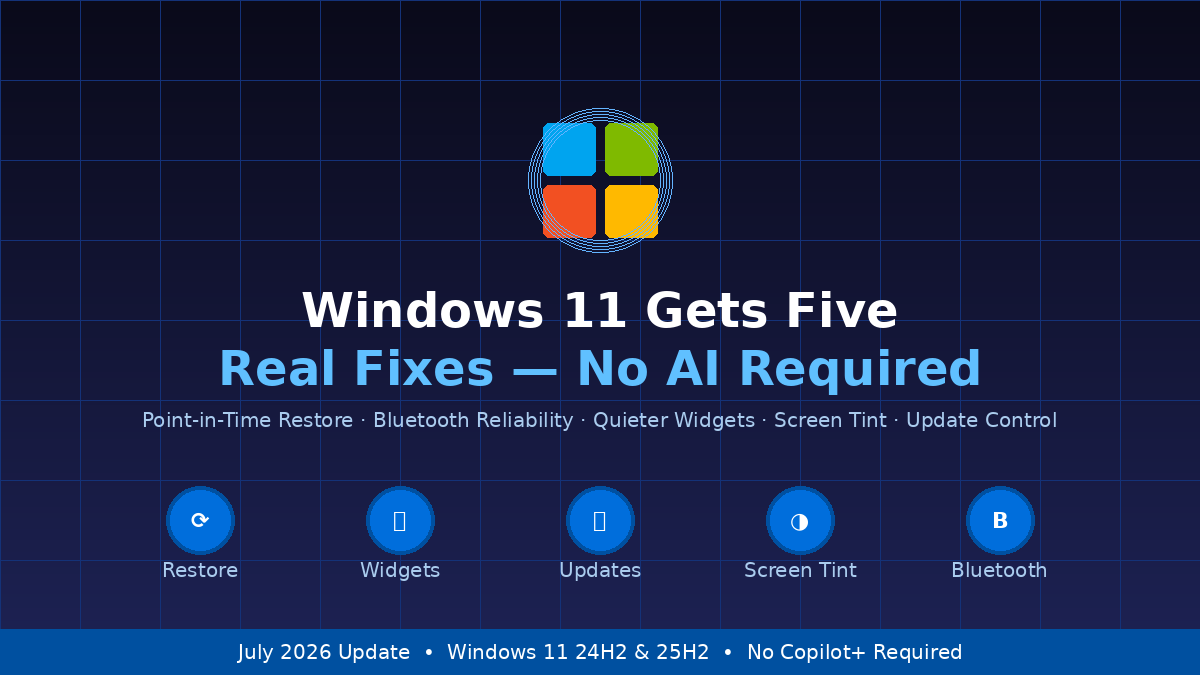
Microsoft has spent the last two years burying Windows 11 under a relentless stream of Copilot announcements, Recall controversies, and AI subscription pitches. This month, it is doing something refreshingly different: shipping five practical quality-of-life improvements that require no AI hardware, no Copilot+ subscription, and no patience for chatbot prompts. They are headed to all Windows 11 PCs through an optional June update, and will reach everyone via the July 2026 Patch Tuesday rollout.
The timing is notable. Windows 11 26H2, the next major annual feature release due this October, is shaping up to be the most Copilot-saturated version of Windows yet — with AI embedded into File Explorer, the taskbar, the notification center, and beyond. Against that backdrop, Microsoft’s decision to accelerate a batch of genuinely useful, AI-free improvements signals at least some awareness that the average user’s frustration runs deeper than any chatbot can address.
Point-in-Time Restore: A Safety Net Windows Has Always Needed
The headliner is Point-in-Time Restore, a feature that has been in testing since late 2025 and is finally making its way to the general Windows 11 population. When enabled, Windows automatically creates system snapshots that capture not just OS files and registry settings — as the older System Restore did — but your personal files and installed applications as well. Snapshots are taken on a schedule you control, anywhere from every four hours to every 24, and kept for up to 72 hours.
When something goes wrong — a bad driver, a corrupted update, a botched app installation — you can roll back your entire PC from the recovery environment without losing documents or data. The feature runs silently in the background using Windows’ Volume Shadow Copy Service and does not require a network connection or a cloud subscription. Microsoft’s testing results suggest it can recover a full Windows installation in well under ten minutes.
For the enormous slice of users who delay or avoid Windows updates out of fear that something will break, Point-in-Time Restore is a genuine reason to reconsider. You can enable it at Settings > System > Recovery once the update lands. Microsoft is also shipping a related fix this cycle: KB5095093 addresses a bug in which Windows 11 blocked traditional backup operations after the June 2026 Patch Tuesday, so the two improvements arrive in tandem.
The Widgets Panel Stops Ambushing You
Ask any Windows 11 user which feature they would most like to change and Widgets is a frequent answer — specifically, the behavior where hovering near the taskbar corner causes the entire news-and-weather board to slide open uninvited. Microsoft is finally turning that off by default. Widgets will no longer open on hover, notification counts on the taskbar will be minimized by default, and the badge colors will adapt to your accent color rather than screaming for attention in an unrelated hue.
First-time users will also land directly on the Widgets dashboard rather than an MSN news feed, and the lock screen will default to a single Weather card instead of the cluttered carousel of cards that has shipped on new installations for years. Microsoft began turning off Widgets’ MSN feed and ads by default earlier in 2026; this update takes that effort further. None of these changes remove Widgets functionality — they simply make the experience quiet enough that users who want it can use it, and users who do not will stop accidentally opening it forty times a day.
Calendar-Based Update Pausing Ends the Forced-Reboot Era
Windows 11 has always allowed users to pause updates, but the pause has been capped at five weeks and hidden behind a dropdown that offered fixed intervals rather than a real calendar. That changes with this update. A calendar picker arrives inside Windows Update that lets you select a specific end date for your pause, up to 35 days out, and extend it as many times as you need. Microsoft confirmed earlier in 2026 that the old five-week hard ceiling was gone and users could pause indefinitely using this new mechanism.
The company has been unusually candid about the reasoning. In May, Microsoft’s own messaging explicitly told users they should pause Windows 11 updates when they need to work, a remarkable acknowledgment from the company that has spent years defending aggressive update policies. This update formalizes that position in the Settings UI where it will actually be found.
Screen Tint Gives Sensitive Eyes a Long-Overdue Tool
Night Light, Windows 11’s existing display color-temperature feature, adjusts the white point of your screen toward warm amber tones in the evening. Screen Tint goes further, applying a full-screen color overlay in any shade you choose and at any intensity, at any time of day. Up to six preset colors are available — including a “Calm amber” option similar to Night Light, along with blue, green, and neutral variants — plus a custom color picker with an adjustable intensity slider.
The feature lives at Settings > Accessibility and is designed for users who experience photosensitivity, eye strain after extended screen time, or headaches triggered by specific display colors. For people who currently rely on third-party tinting apps or physical tinted glasses while working, it is a useful native alternative. The same update also improves the Magnifier, adding direct percentage entry for zoom level and a settings shortcut within the Magnifier window itself, eliminating the roundabout trip to Settings.
Bluetooth Finally Gets a Comprehensive Reliability Pass
Bluetooth on Windows has accumulated a reputation for unreliability that dates back years. Microsoft pledged in March 2026 to address stability across Bluetooth, audio, camera, and USB connections in a sustained campaign, and this update represents the most concentrated delivery of Bluetooth fixes the OS has shipped in a single release.
The most impactful change addresses microphone mute sync: when you press the physical mute button on a Bluetooth headset, Windows will now correctly mirror that state in the audio mixer and the Hands-Free Profile simultaneously. Previously, the two could fall out of sync, leaving meeting participants uncertain whether their microphone was actually muted. For remote workers relying on Bluetooth headsets throughout the workday, this fix alone is significant.
Additional improvements cover AirPods pairing speed, Beats Studio Pro microphone reliability, faster audio recovery after Bluetooth LE Audio connection drops, and quicker reconnection after Windows resumes from hibernation. Phone Link also gets smarter audio routing: outgoing calls from a paired phone will now keep audio on the phone during ringing and only transfer to the PC after the call is answered, rather than jumping to the PC immediately and startling the user.
The Bigger Picture: A Platform Catching Up With Itself
These five improvements are not groundbreaking. They are fixes and behaviors that users requested in feedback forums months or years ago, finally making it into the stable release channel. Taken together, though, they tell a story about where Windows 11 is in mid-2026: a platform that has spent enormous energy on AI additions and is now, somewhat belatedly, catching up with the baseline quality expectations that made Windows 10 so sticky.
The coming Windows 11 26H2, due this October, will bring Copilot deeper into File Explorer, the taskbar, and the notification center — with early insider reports suggesting the integration will be on by default whether users want it or not. That update will generate its own debate. But for now, Windows 11 is shipping something rarer than a new AI feature: competent maintenance. The optional June update KB5095093 is already available for Windows 11 versions 24H2 and 25H2, and the full July Patch Tuesday will deliver all five improvements to the entire Windows 11 user base automatically.
For users who have been cautiously delaying updates — waiting to see whether Microsoft would deliver reliability improvements before layering on more features — this cycle finally gives them a concrete answer: yes, and here is the safety net if something still goes wrong.


