July 12, 2026
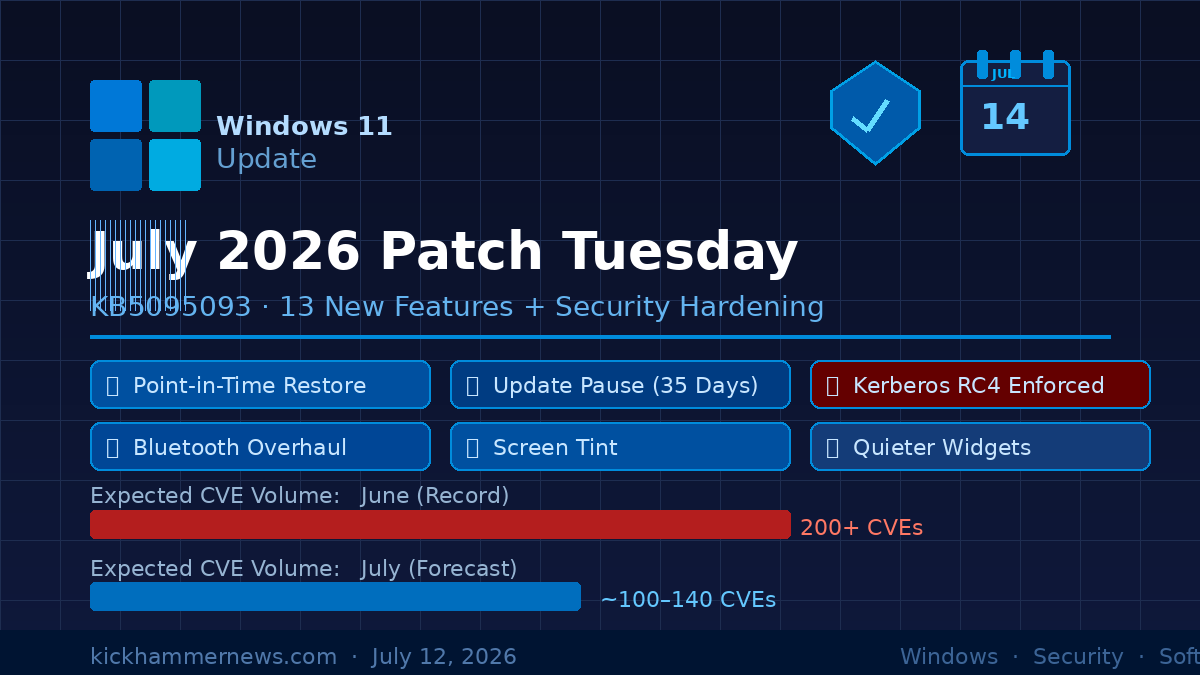
Two days from now, on Tuesday July 14, Microsoft will push the most feature-dense monthly security update Windows 11 has seen in years. Update KB5095093 — the July 2026 Patch Tuesday release for Windows 11 24H2 and 25H2 — arrives carrying somewhere between 100 and 140 security patches, a critical authentication hardening deadline, and a stack of 13 consumer-facing improvements that have been previewing in the Insider channels since June. For IT administrators and home users alike, this one is worth paying attention to before it lands.
The Feature Side: What’s Actually Changing
Point-in-Time Restore
The headline addition in KB5095093 is Point-in-Time Restore (PITR), a recovery capability that has been quietly in testing since early 2026. Unlike the existing System Restore feature — which many users have found unreliable for restoring apps and personal data — PITR captures full system snapshots that include installed applications, settings, and local files. Restore points are retained for up to 72 hours by default, giving users a rolling window to roll back after a botched update, a failed driver install, or unexpected software behavior.
The feature uses the Volume Shadow Copy Service (VSS) under the hood and requires at least 200 GB of available storage to activate. It ships enabled by default on Home and Pro editions. For enterprise environments, this could meaningfully reduce the time helpdesk staff spend troubleshooting update-related regressions — though IT pros should verify compatibility with their existing backup strategies before relying on it.
Windows Update Pause Gets a Calendar
For years, users have complained that Windows 11’s update pause controls were too coarse: a handful of fixed intervals, no flexibility. July’s update replaces that with a calendar-based model. Instead of picking “pause for 7 days,” users select a specific end date — extending up to 35 days out — and can revise the pause at any time by choosing a new date.
This is not a full disable switch, and enterprise Group Policy controls remain unchanged. But for home users and small businesses that have felt trapped by Microsoft’s update cadence, calendar-based pausing is a meaningful quality-of-life improvement.
Quieter Widgets and a Less Distracting Taskbar
The Widgets panel receives a behavioral overhaul that most users will notice immediately. Widgets no longer expand automatically when the cursor hovers over the taskbar icon — a persistent complaint since the panel debuted in Windows 11. Notification badges and counters are now minimized by default, accent-color matched for subtlety, and cleared automatically when the user leaves the dashboard. The first-run experience now opens in a simplified state, and the lock screen defaults to a single Weather widget instead of a full news feed.
The change reflects feedback that Widgets were more interruption than utility for many users. Whether that reputation shifts with this redesign remains to be seen.
Screen Tint and Accessibility Refinements
A new Screen Tint feature lets users apply a full-display color overlay to reduce eye strain — distinct from the existing Night Light, which only adjusts warm/cool color temperature. Screen Tint allows selection of custom colors and intensity levels, accessible via Settings > Accessibility. Separately, the Magnifier gains support for entering exact zoom percentages instead of stepping through fixed intervals, a small but practical improvement for accessibility-dependent users.
Bluetooth Gets a Comprehensive Polish Pass
Bluetooth reliability receives one of the more thorough treatments in recent memory. The update improves mute state synchronization between the audio mixer and the Hands-Free Profile (HFP), fixes AirPods pairing detection speed, improves microphone reliability on Beats Studio Pro headphones, and accelerates LE Audio reconnection after dropouts. Classic Bluetooth devices also reconnect faster after system hibernation, and the “Remove failed” error that sometimes appeared during device unpairing is addressed.
These changes don’t add any new Bluetooth capabilities, but they address a long list of compatibility quirks that have built up across device generations.
File Explorer, Voice, and More
File Explorer gains a performance bump at launch, with address bar improvements that now correctly handle paths containing double backslashes or quotation marks — useful for anyone who pastes file paths from terminals or documentation. File renaming is more reliable, with case-only changes immediately reflected for both local and cloud-stored files. OneDrive duplicate entries in the Favorites section are also resolved.
Voice Access and Voice Typing expand language support to French, German, and Spanish, bringing dictation capabilities to a broader set of users. On Copilot+ PCs, real-time grammar correction now runs during dictation, adapting to background noise and reducing manual edits.
Other improvements cover phone link call routing, touchpad right-click zone customization, WSL stability in mirrored networking mode, and an emoji panel switch from Tenor to GIPHY for GIF browsing. A graphics kernel improvement also allows PCs with more than 32 GB of RAM to run larger local AI models.
The Security Side: 100-140 CVEs and an Authentication Deadline
Volume Normalization After June’s Record
June 2026 set an all-time Microsoft Patch Tuesday record at over 200 CVEs — 116 for Windows 11 alone, with large volumes in Office, SharePoint, Visual Studio, and .NET. Analysts at Ivanti and elsewhere expect July to land in the 100–140 range, which would be a normalization rather than a reprieve. The trend line is clear: AI-assisted vulnerability discovery is accelerating patch volumes across the industry, and Microsoft has explicitly acknowledged that update deployment timelines need to be rethought in response.
Kerberos RC4 Hardening: Final Phase
One security change in July’s update has no flexibility: Kerberos RC4 cryptographic algorithm hardening reaches Phase 2 completion, meaning RC4 encryption for Kerberos authentication is now fully disabled across domain environments. Organizations that have not yet assessed and updated legacy authentication dependencies — particularly older line-of-business applications or third-party services that rely on RC4 — may see authentication failures after this update lands. Microsoft has been warning about this deadline for over a year, but it will still catch some environments off guard.
RoguePlanet Already Patched Out-of-Band
The zero-day vulnerability CVE-2026-50656 — nicknamed “RoguePlanet” by researcher Nightmare-Eclipse, continuing a string of Microsoft Defender flaws from the same researcher — was patched via an out-of-band release on July 9. The race condition privilege escalation bug could allow a local attacker to obtain a SYSTEM-level shell. The fix is already shipping but will be formally consolidated into the July 14 cumulative update. Organizations that applied the OOB patch are protected; those running automated patch management may not have it yet and should verify.
Context: The “Patch Apocalypse” and What’s Next
The broader industry context heading into this Patch Tuesday is notable. Adobe has moved to twice-monthly security releases — Patch Tuesday and a second window on the fourth Tuesday — citing AI-accelerated vulnerability discovery. Google shipped Chrome 150 on June 30 with 433 security fixes. Apple is also increasing update frequency across its platforms. The consensus forming among patch management professionals is that tracking individual CVEs is becoming impractical at scale; the new posture is simply: patch to the latest version as fast as possible.
For enterprise Windows environments, July’s Kerberos deadline reinforces this shift. The window for deferring authentication modernization has closed.
Oracle’s next quarterly Critical Patch Update (CPU) is scheduled for July 21 — one week after Patch Tuesday — targeting WebLogic, PeopleSoft, Identity Manager, WebCenter, and VirtualBox. Admins running Oracle middleware alongside Windows environments should plan for a two-stage patch sprint this week and next.
What to Do Before Tuesday
Home users on Windows 11 24H2 or 25H2 who want early access to the features can search for updates now — KB5095093 has been available as an optional install in the stable channel since June 23. Otherwise, the update will install automatically on July 14.
Enterprise administrators should prioritize: verifying Kerberos RC4 compatibility in authentication chains, confirming the RoguePlanet OOB patch is applied, and reviewing deployment staging given the feature rollout component of this cumulative update. The Controlled Feature Rollout (CFR) mechanism Microsoft uses may stage the new features gradually, so not all devices in a fleet will receive them simultaneously.
The July 14 update is not a dramatic new product launch, but it is a meaningful moment for Windows 11 — a convergence of long-requested user controls, genuine accessibility improvements, and a security posture that reflects an industry under accelerating pressure. The question is whether the pace of change is sustainable, or whether Patch Tuesday itself is becoming an institution too slow for the threat environment it was designed to manage.


