June 9, 2026 | *Windows, Security, Enterprise*
Microsoft spent the last two years making Windows 11 the most secure consumer operating system it has ever shipped. Mandatory TPM 2.0, BitLocker encryption on by default, Virtualization-Based Security baked into the kernel — the company left no stone unturned in its effort to harden the platform. The irony, then, is that the biggest threat to Windows 11 stability in 2026 isn’t a nation-state hacking group or a ransomware gang. It’s the firmware and software being shipped by the very hardware makers that sell you the machine.
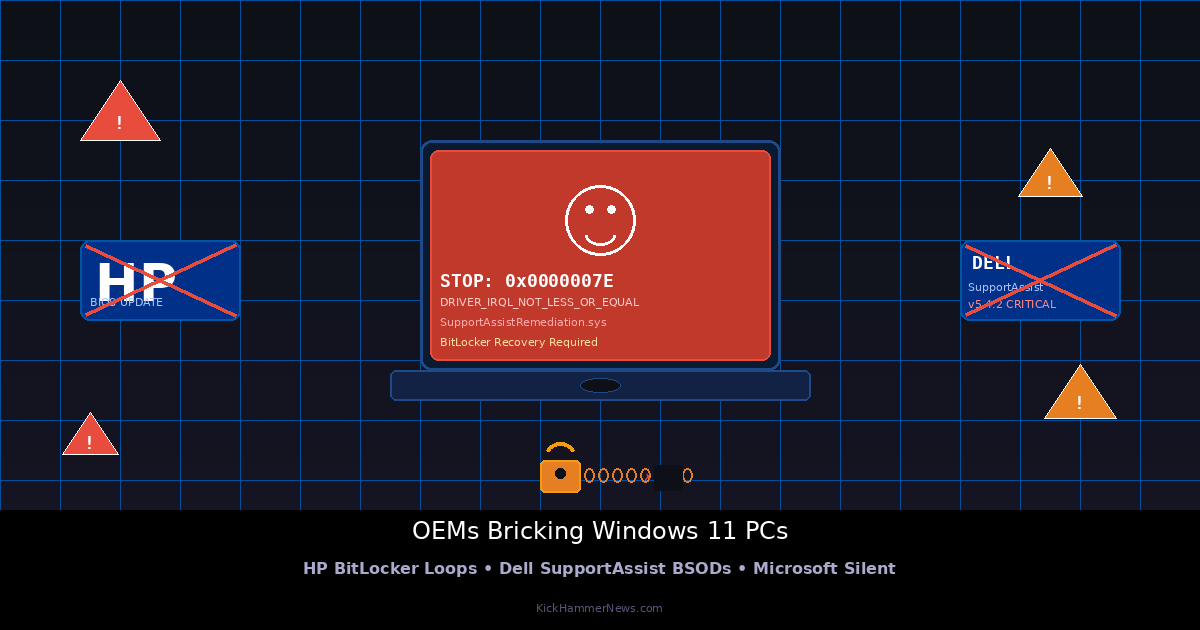
In recent weeks, a double-barreled OEM crisis has struck Windows 11 users and IT administrators alike. HP’s April BIOS updates sent waves of commercial notebooks and desktops spiraling into endless BitLocker recovery loops. Dell’s May SupportAssist Remediation update then triggered cascading Blue Screens of Death across XPS, Latitude, and OptiPlex systems. Microsoft’s official Windows Health Dashboard? Silent. Enterprises left holding the bag? Plenty.
HP’s BIOS Update Turned Business Laptops Into Expensive Bricks
The first wave hit hard and fast. In early April 2026, HP pushed a series of BIOS updates to its commercial lineup — EliteBooks, ProBooks, ZBooks, and workstations — targeting security improvements tied to the looming Secure Boot certificate migration deadline. The updates were intended as responsible security maintenance. Instead, they became a catastrophe.
Users across Windows forums and Reddit began reporting the same nightmare scenario: after the BIOS flash and reboot, Windows 11 demanded a BitLocker recovery key. Fair enough — that’s expected behavior when the boot chain changes. The problem was that entering the correct 48-digit key didn’t fix anything. The system would boot, prompt for the key, accept it, and then — on the very next restart — loop back to the same BitLocker screen again. Endless, inescapable, maddening.
The underlying cause is rooted in how BitLocker seals encryption keys to the Trusted Platform Module (TPM). BitLocker relies on Platform Configuration Registers (PCRs) — a set of values the TPM calculates by hashing each component of the boot chain — to prove the machine hasn’t been tampered with. A BIOS update inevitably changes some of those values. To prevent lockouts, Windows is supposed to temporarily suspend BitLocker before a firmware flash, then properly reinitiate once the new BIOS is confirmed stable. For HP’s affected devices, that handshake broke down: the update proceeded without properly suspending BitLocker, or the reinitialization failed to update the sealed key afterward.
HP acknowledged the problem in a support bulletin on April 15, attributing it to a “race condition in the TPM interface driver during the BIOS flash process.” The company released a repair tool, but success rates were inconsistent. For enterprise IT departments managing hundreds of affected machines, the recovery process was brutal — many resorted to manually clearing the TPM or booting from Windows 11 installation media to decrypt drives through the command line. Some had to resort to full disk decryption, BIOS rollback, and re-encryption — a process that eats hours per device.
HP has since released corrected BIOS updates for affected EliteBook and ProBook models. Commercial customers are advised to deploy the patch via HP Image Assistant or Microsoft Intune.
Dell Doubled Down With a Driver That Crashed Windows Itself
Just as the HP situation was stabilizing, Dell dropped its May 2026 SupportAssist Remediation update — and set off a second crisis. SupportAssist is Dell’s built-in hardware scanning and driver management tool, deployed on virtually every Dell Windows machine. The May update was meant to patch a privilege escalation vulnerability. Instead, it introduced a kernel-mode driver, SupportAssistRemediation.sys, that conflicted with Windows 11’s memory manager and triggered relentless Blue Screens of Death.
The BSOD stop codes varied — DRIVER_IRQL_NOT_LESS_OR_EQUAL, KMODE_EXCEPTION_NOT_HANDLED, ATTEMPTED_WRITE_TO_READONLY_MEMORY — but they all pointed to the same root cause: a low-level driver hooking into the kernel in a way it shouldn’t, colliding with recent Windows 11 patches. Analysis of crash dumps shared by security researchers suggested the remediation logic was stepping on memory structures already managed by the OS, causing an unrecoverable cascade of exceptions.
For affected users, recovery was complicated by a cruel irony: Windows Recovery Environment (WinRE) often failed to load because the faulty driver was too deeply embedded. That left users dependent on bootable USB sticks and manual command-line surgery — deleting or renaming the offending driver file from a rescue environment. And even when users successfully removed SupportAssist, Windows Update would sometimes reinstall an older, still-vulnerable version, which would then silently pull down the same broken remediation update again.
Dell issued an advisory on May 12 recommending users uninstall SupportAssist entirely, with a promise that version 5.4.3 — featuring a redesigned kernel hook and an automatic conflict-detection fallback — would arrive shortly.
The Deeper Problem: OEMs Haven’t Kept Up with Windows 11’s Demands
Both incidents feel like accidents waiting to happen. Windows 11’s deep integration with TPM 2.0, Virtualization-Based Security, and Hypervisor-Protected Code Integrity has dramatically raised the stakes for any firmware-level change. The OS’s security guarantees now depend on a precisely coordinated boot chain — and even a single misstep in that chain can cascade into a complete denial of access to the machine.
OEMs, however, haven’t consistently kept pace. Many still deploy BIOS updates without properly coordinating BitLocker suspension through Windows Update’s established mechanisms. Many still develop proprietary driver-level tooling — like SupportAssist — that operates in the kernel without adequate testing against Microsoft’s latest security mitigations. Both HP and Dell had previously committed to Microsoft’s Dynamic Update framework, which is designed to pre-stage firmware and critical driver updates during OS updates to prevent precisely these conflicts. Based on this month’s reports, that integration remains incomplete.
Microsoft unveiled a Cloud-Initiated Driver Recovery (CIDR) system at WinHEC 2026, which can remotely trigger a rollback of faulty drivers through Windows Update. The June 2026 Patch Tuesday — released today — also includes the first batch of compatibility holds intended to block known-bad OEM updates. But these tools remain reactive. The damage from HP’s April BIOS and Dell’s May SupportAssist has already been done.
What Enterprise IT Admins and Users Should Do Now
For IT administrators managing HP fleets, the immediate priority is ensuring the corrected BIOS (released in May) has been deployed across all commercial devices before applying any additional Secure Boot certificate updates tied to the June 26 deadline. Organizations running Microsoft Intune can push the HP Image Assistant deployment at scale.
Dell administrators should verify that SupportAssist has been updated to version 5.4.3 or later on all managed machines. Block automatic reinstallation of older SupportAssist versions by configuring Windows Update for Business policies to exclude that driver package until the fixed version is confirmed stable in your environment.
For individual users caught in a BitLocker loop after an HP BIOS update: locate your recovery key (stored in your Microsoft account at account.microsoft.com/devices/recoverykey, or in your organization’s Active Directory), boot into Windows Recovery, and use manage-bde to decrypt the volume before reattempting the BIOS update. For Dell BSOD loops, interrupt the boot three times to trigger WinRE, open Command Prompt, navigate to C:\Windows\System32\drivers, and rename SupportAssistRemediation.sys with an .old extension before rebooting.
Most importantly: maintain full system image backups before applying any OEM firmware update. In 2026, that advice has never mattered more.
The Broader Warning
What makes this month’s OEM crisis particularly damaging is the timing. Microsoft has spent the last year aggressively preparing the Windows ecosystem for the June 26 Secure Boot certificate transition — a mandatory infrastructure change designed to revoke signatures tied to boot components that have been compromised or deprecated. The entire exercise was supposed to make the Windows fleet more secure. Instead, it pressured OEMs into rushing firmware updates that weren’t ready, producing a wave of self-inflicted outages that made the fleet temporarily *less* usable.
The lesson is uncomfortable but unavoidable: security infrastructure is only as strong as the least disciplined partner in the ecosystem. Microsoft can mandate TPM 2.0, require Secure Boot, and ship the most hardened kernel in Windows history — but if HP and Dell can’t coordinate a BIOS update without trapping users in BitLocker loops, those investments mean nothing to the IT administrator staring down a wall of recovery tickets.
The conversation between Microsoft and its OEM partners needs to move past voluntary framework adoption. It needs enforcement — mandatory compliance with Dynamic Update mechanisms, mandatory pre-release testing against the current Windows kernel, and mandatory coordination of compatibility holds through Windows Update before problematic OEM updates reach end users. Until that governance exists, the next HP BIOS update or Dell driver patch will be waiting in the wings, ready to brick another fleet of laptops at the worst possible moment.


