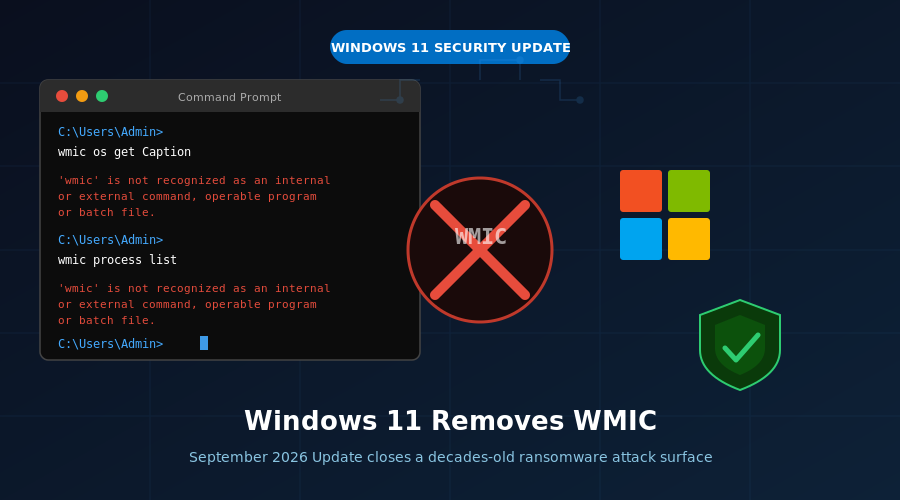
For decades, Windows quietly shipped a command-line tool that IT administrators found useful and cybercriminals found even more useful. That tool — the Windows Management Instrumentation Command-line, or WMIC — is finally, officially, permanently gone. Microsoft has confirmed that the Windows 11 September 2026 Update, known as Windows 11 26H2, fully removes WMIC from the operating system, and independent testing confirms it cannot be reinstalled, re-enabled, or recovered.
It’s a move that security researchers have been pushing for years, and it carries real consequences for ransomware operators who have relied on the tool as a low-friction way to surveil and attack Windows systems without raising alarms.
What Is WMIC, and Why Did It Last This Long?
WMIC is a command-line interface to Windows Management Instrumentation, a framework that lets administrators query and manage Windows systems through scripts and commands. IT teams have used it for decades to pull hardware inventory, check running processes, manage remote machines, and automate system tasks without needing to deploy dedicated management software.
At its peak, WMIC was genuinely indispensable for enterprise environments. A single command could return the serial number of every PC on a network, list installed software, or kill a runaway process — capabilities that admins needed before modern tools like PowerShell and Windows Admin Center made those tasks easier.
The problem is that WMIC’s usefulness was not exclusive to legitimate IT teams. Because WMIC is a signed Microsoft binary, security software couldn’t simply block it without breaking legitimate workflows. Attackers exploited this ambiguity aggressively, using WMIC to enumerate installed antivirus software, identify system configurations before deploying ransomware payloads, and in some cases directly interact with Windows Management Instrumentation to disable security controls. In the security industry, tools like WMIC that are legitimate components turned into attack vectors are called “living-off-the-land binaries,” or LOLBins.
A Long, Slow Deprecation Finally Reaches Its Conclusion
Microsoft’s relationship with WMIC over the past five years has been a lesson in how slowly the company moves when removing something that enterprises depend on. The deprecation clock started ticking with Windows 10 21H1, when Microsoft formally marked WMIC as deprecated, signaling it was no longer being actively developed or improved.
Even then, WMIC stayed installed by default. When Windows 11 25H2 shipped in late 2025, Microsoft adjusted the approach slightly: WMIC would no longer appear on clean installs by default, but it remained available as a Feature on Demand, meaning users could still install it through the Optional Features settings panel. For organizations running existing hardware that upgraded to 25H2, WMIC stayed in place as part of the upgrade.
Windows 11 26H2 changes that entirely. With the September 2026 Update, WMIC is gone as a Feature on Demand. There is no optional toggle, no registry key, no workaround that restores it. Independent testing on preview builds of the September update confirmed that typing wmic in Command Prompt returns a “command not recognized” error, and searches through the Windows partition turn up no WMIC-related binaries at all.
Microsoft formalized the removal in updated release notes: “Windows Management Instrumentation Command-line (WMIC) has been removed in this release. This change is part of the ongoing deprecation and removal of WMIC from Windows.” The company added that the removal “helps improve the security and reliability of Windows by removing a legacy component while preserving existing management capabilities through supported alternatives.”
Why This Matters for Ransomware Defense
The security industry’s concern about WMIC is not theoretical. Documented ransomware campaigns over the past several years repeatedly leveraged WMIC as part of their attack chains.
In a typical ransomware intrusion, attackers who gain initial access to a Windows system face a problem: they need to understand the environment before they can act. They want to know what security software is running, whether the machine is part of a domain, what processes are active, and whether there are accessible network shares worth targeting. Running a custom reconnaissance tool risks detection. Running WMIC — a Microsoft-signed binary with a decades-long history on Windows systems — often does not.
Ransomware groups have also used WMIC to invoke processes, delete shadow copies (the built-in Windows backups that would otherwise allow recovery after encryption), and move laterally across enterprise networks. The 2022 NSA advisory on Living Off the Land techniques specifically called out WMIC as one of the most commonly abused LOLBins in state-sponsored intrusions, not just ransomware.
Removing WMIC doesn’t eliminate the LOLBin problem — Windows ships with many other legitimate tools that attackers can abuse — but it closes off one of the most historically reliable options that threat actors have relied upon. Organizations that invested in detection rules or behavioral policies specifically watching for WMIC abuse will find those rules less necessary, and security teams will have one fewer alert source to tune.
What Enterprises Should Use Instead
Microsoft has been promoting PowerShell and the Windows Management Instrumentation infrastructure itself (accessible through PowerShell’s Get-WmiObject and Get-CimInstance cmdlets) as the replacements for WMIC-based workflows. Most administrative tasks that WMIC supported map cleanly to PowerShell equivalents, and PowerShell provides better logging, better integration with modern management platforms, and scripting capabilities that WMIC never offered.
For organizations using Windows Admin Center or Microsoft Intune for device management, the transition away from WMIC may have already happened years ago in practice. The concern is primarily with legacy scripts and automation pipelines built on WMIC syntax that an organization may have run for years without revisiting. IT teams should audit those before the September 2026 Update rolls out to production systems.
Microsoft’s support documentation lists PowerShell’s CIM cmdlets and Windows Remote Management (WinRM) as the preferred migration paths. The company emphasizes that removing WMIC does not reduce the management capabilities available to administrators — it simply moves them to interfaces that are actively maintained and more auditable.
Part of a Broader Security Cleanup in Windows 11 26H2
WMIC’s removal is one piece of a larger security-focused update cycle that Microsoft has leaned into for the September 2026 release. The same update adds the ability to fully disable Bing integration in Windows Search, delivers faster application launch times, and introduces Point-in-Time Restore as an auto-enabled default rather than an opt-in feature — giving users automatic recovery points without requiring them to configure anything.
The removal of legacy attack surfaces alongside the addition of user-protective defaults reflects a consistent theme in Microsoft’s Windows 11 strategy over the past two years: reduce the footprint of components that carry more risk than value, while making protective features less dependent on user configuration.
For most home users, WMIC’s disappearance will go completely unnoticed. For enterprise security teams and the threat actors who have relied on WMIC for years, the change is anything but trivial.
The September 2026 Update is expected to begin rolling out to Windows 11 24H2 and 25H2 users in September, with 26H2 as the official version designation. Organizations running Windows 11 in managed environments should review their WMIC-dependent scripts and validation tools before the update reaches their fleets.


