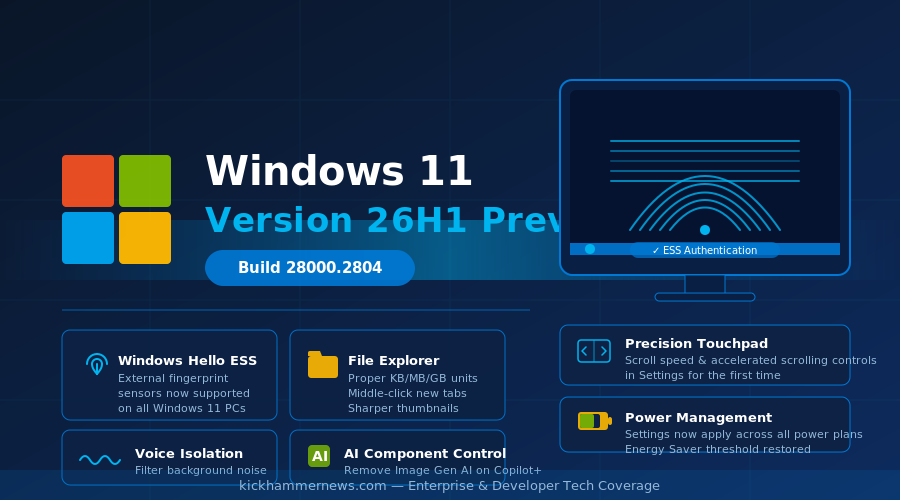
Microsoft has quietly crossed a significant milestone in Windows development. The Windows 11 Insider Release Preview Channel received a major update on August 14, 2026 — Build 28000.2796 (KB5120996) — marking the first public appearance of Windows 11 version 26H1 and a completely new OS build series. A subsequent preview, Build 28000.2804, followed on August 27, bringing additional refinements. The jump to the 28000 build range is not cosmetic. It signals that Windows 11 26H1 is a distinct major release, setting the stage for what Microsoft is positioning as the most security-conscious and AI-aware version of the operating system yet.
For enterprise administrators and everyday users alike, the 26H1 release preview is dense with practical improvements spanning biometric authentication, voice control, file management, touchpad ergonomics, power management, and AI model governance. Here is a comprehensive look at what is coming.
Windows Hello Gets Its Biggest Expansion in Years
The single most consequential change in Windows 11 26H1 is the extension of Windows Hello Enhanced Sign-in Security (ESS) to peripheral fingerprint sensors. Until now, ESS — Microsoft’s hardware-backed biometric authentication framework — was limited to devices with built-in fingerprint sensors, such as select Surface laptops and premium OEM machines.
With Build 28000, that limitation ends. Users can now plug in a supported external ESS fingerprint reader and enroll through Settings > Accounts > Sign-in options. This applies to desktop PCs, older laptops, and Copilot+ devices that lacked embedded sensors, dramatically expanding the addressable base for phishing-resistant hardware authentication.
The timing matters. Microsoft has been pushing hard for organizations to adopt passwordless authentication as part of broader security hardening, particularly following years of credential-based breaches. Extending ESS to a wider hardware ecosystem removes one of the last friction points for enterprise IT departments that manage heterogeneous device fleets. A single USB fingerprint reader can now deliver the same security guarantees as a premium laptop’s built-in sensor.
Microsoft originally disclosed this feature in January 2026 with KB5074105. The Build 28000 rollout marks its first broad availability.
Voice Access Gets a Brain — and a Better Accent
Voice Access, Microsoft’s on-device voice control system, receives what amounts to a complete audio intelligence overhaul in 26H1.
The headline addition is Voice Isolation: a mode that filters out other speakers and background noise so the system can focus exclusively on the enrolled user’s voice. Setting it up requires a one-time voice profile, after which Voice Access becomes dramatically more reliable in open-plan offices, shared spaces, and home environments with ambient sound. Two additional modes give users flexibility: a “Remove background noise only” option (no extra setup required) that handles sounds like typing or door slams, and a “No filtering” mode for situations where the raw microphone signal is preferred.
These three modes live under Voice access settings > Improve speech recognition, putting meaningful control in users’ hands without burying it in system menus.
26H1 also adds Korean language support for Voice Access, extending the feature to another major market. For accessibility-focused users and professionals who rely on voice control for hands-free computing, this release represents a step change in day-to-day reliability.
File Explorer Finally Shows File Sizes Like a Human
It sounds small, but File Explorer’s file-size display change has been a long-standing irritant. Previous versions showed file sizes exclusively in kilobytes — producing entries like “1,847,296 KB” for a nearly 2 GB video file. Windows 11 26H1 fixes this: Details view now automatically selects the appropriate unit (KB, MB, or GB), making files scannable at a glance without mental arithmetic.
Beyond units, File Explorer gains middle-click support to open folders in new tabs from both the address bar and the Home page. Thumbnail rendering in the Recommended section is sharper, and a gray flash that sometimes appeared on load has been eliminated. Taken together, these changes make the Explorer feel more polished and consistent — an area that has trailed behind third-party file managers for years.
Windows Search also improves in 26H1, with better handling of typos and partial app names when searching for installed applications, and improved Settings relevance to surface useful configuration options higher in results.
Touchpad Controls Get Granular
Precision touchpad users gain two new gesture calibration options in Settings > Bluetooth & devices > Touchpad:
– Scroll and zoom speed: Adjusts the baseline speed for two-finger scrolling and pinch-to-zoom gestures system-wide.
– Accelerated scrolling: A dynamic mode that increases scroll velocity the more times a gesture is repeated, enabling rapid navigation through long documents without lifting fingers repeatedly.
These additions close the gap with macOS trackpad configuration, which has offered similar granularity for years. For users who spend significant time in long documents, code editors, or spreadsheets, the accelerated scrolling option alone could meaningfully reduce friction.
AI Component Governance Comes to Users
In a nod to the growing complexity of AI features shipped with Windows, Build 28000 introduces the ability to remove the Image Generation AI component from supported Copilot+ PCs where it has been installed. This is noteworthy: rather than treating AI models as immovable OS infrastructure, Microsoft is giving users explicit control to uninstall them.
The move aligns with ongoing regulatory and enterprise policy pressure around AI transparency and data handling. In environments where on-device AI model deployment requires IT approval, the ability to remove specific AI components via Settings reduces the friction of managing AI governance at scale.
Start Menu Gains a Subscription Status Badge
The Start menu account control — accessed by clicking the account picture in the lower-left corner — now displays a subscription status badge for users signed in with a Microsoft account. The redesign refreshes the visual treatment and makes it easier to see at a glance whether a Microsoft 365 or other subscription is active, expiring, or lapsed.
The change is small but signals Microsoft’s ongoing effort to make its subscription ecosystem more visible within Windows itself, a pattern consistent with the company’s post-Copilot bundling strategy.
Power, Battery, and Reliability Fixes
Build 28000 addresses a long-standing behavioral inconsistency in power settings: changes made through Settings > System > Power & battery now apply across all power plans, not just the currently active one. This matters for enterprise devices that switch between plugged-in and battery-powered states frequently, where inconsistent sleep or display-off timers could create user confusion or security policy gaps.
Energy Saver threshold configuration — the ability to set at what battery level Energy Saver activates — is restored after being missing in previous releases. Users on battery-powered devices will now have fine-grained control over when aggressive power conservation kicks in.
On the reliability side, 26H1 improves explorer.exe stability across jump lists, Task View, multiple desktops, and file sharing scenarios. Sign-in and lock screen behavior under low memory conditions is more robust, and the system tray area of the taskbar is more stable on touch devices in tablet posture.
What the 28000 Build Series Means
The transition from the 26100/26200 build range to 28000 is the most visible signal that Windows 11 26H1 represents a meaningful branch, not just an incremental service update. Microsoft has not announced a public general availability date for 26H1, but the progression of Insider Release Preview builds — from 28000.2608 in July to 28000.2804 in late August — suggests the release is maturing rapidly.
For organizations planning device refresh cycles tied to Windows 10 End of Extended Support in October 2026, 26H1’s hardware authentication expansion and AI component governance improvements may accelerate the timeline for upgrading — or at least make the conversation with stakeholders easier. For individual users, the fingerprint, voice, and touchpad improvements alone make 26H1 one of the more practically useful Windows releases in recent memory.
The full feature set will become clearer as Microsoft moves 26H1 toward general availability. Based on what is already in Build 28000.2804, the release is shaping up to be one worth tracking closely.


