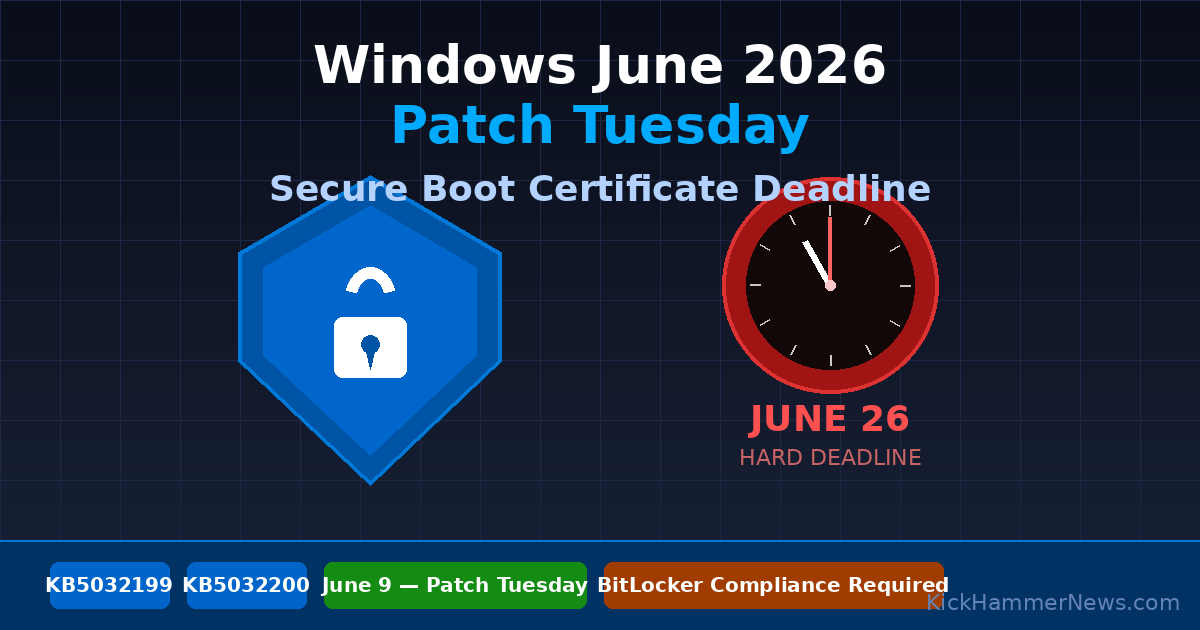
In two days, Microsoft will push what it is calling one of the most consequential Patch Tuesday releases in years. The June 9, 2026 update isn’t just about CVE fixes and bug patches — it carries a mandatory Secure Boot certificate rollover that will determine whether millions of Windows devices can boot at all come late July. For IT administrators still scrambling to prepare, the clock is now measured in days, not weeks.
The 15-Year-Old Certificate That’s Finally Expiring
Buried in the UEFI firmware of virtually every Windows PC manufactured since 2011 is a Secure Boot certificate that has silently underwritten the security of the Windows boot process for a decade and a half. That certificate — issued in 2011 — expires on July 27, 2026. If Windows devices don’t receive the replacement certificate before then, they risk being unable to complete a firmware-level security check on boot.
Microsoft isn’t leaving this to chance. The June 9 Patch Tuesday update will automatically revoke the expiring certificate and install a new 2023-dated replacement: the Windows UEFI CA 2023 and Microsoft Corporation KEK 2K CA 2023. The relevant update IDs are KB5032199 for Windows 11 24H2 and KB5032200 for Windows 10 22H2. Neither can be skipped or deferred beyond the standard update deadline of June 26, 2026 — roughly three weeks before the certificate’s expiration date.
That three-week buffer is deliberate but not generous. Any device that misses the June 26 deadline runs the risk of firmware-level failure that no post-expiration patch can cleanly reverse. Microsoft’s guidance is unambiguous: treat this like a critical security vulnerability, because in practical terms, the consequences of missing it are comparable to one.
Why This Rollover Is More Complex Than a Typical Update
Deploying a new Secure Boot certificate sounds routine. It is not. The complexity scales quickly with fleet size and device diversity.
On endpoints where BitLocker is enabled, the new certificate must be injected into the firmware’s signature database before the old certificate is revoked. Doing it out of order can leave a device in a state where the firmware trusts neither the old nor the new certificate during the transition window — a scenario that produces a boot failure indistinguishable from a ransomware attack to an unprepared help desk. Microsoft’s documentation advises administrators to run the update on a representative sample of hardware first, with particular attention to older Surface, Dell, and Lenovo models that may carry custom UEFI implementations with tighter trust anchors.
There is already a confirmed hardware-specific issue in the wild. HP EliteBook 840 G6 units running BIOS version 01.15 hang at the manufacturer logo if the TPM is operating in version 1.2 mode when the certificate update is applied. HP has committed to a firmware fix, but enterprises running large fleets of this model should verify whether the fix has been deployed before rolling out the June update broadly.
Devices that have Secure Boot disabled entirely, or that boot via legacy BIOS rather than UEFI, won’t receive the update at all. They will continue to boot normally, but Microsoft’s Intune will flag them as non-compliant. For organizations with conditional access policies that gate resource access on device compliance, this means those machines could lose access to Microsoft 365 services, Azure resources, and any other Entra ID-protected application. The Security Recommendation dashboard in Intune began surfacing a “Secure Boot Certificate Expiration” advisory on June 1, with a 14-day automated remediation window built in.
Autopatch Hotpatching Goes Default-On
The Secure Boot rollover isn’t the only significant change arriving this month. Starting June 15, 2026, Microsoft’s Windows Autopatch service will automatically switch eligible clients to the hotpatch update channel.
Hotpatching applies security fixes directly to in-memory code without requiring a system reboot. Microsoft introduced it as an opt-in capability for Windows 11 Enterprise E3/E5 and Windows 365 Enterprise customers in early 2025, but the June shift makes it the default behavior for any Windows 11 24H2 device with at least 8 GB of RAM enrolled in Autopatch. Microsoft’s own telemetry suggests this will cut reboot-related patching burden by up to 50% for quality updates.
The business case is clear. But the operational reality is more nuanced. The traditional “cumulative update plus reboot” quarterly cadence that many software validation and change-management processes depend on is disappearing. Applications that inject into kernel memory, or that rely on legacy filter drivers, may encounter compatibility issues when patches are applied to live memory rather than through a clean boot cycle.
Adobe’s Creative Cloud suite and several major endpoint detection and response (EDR) platforms have already been flagged by Microsoft as requiring updated, hotpatch-compatible driver versions. Vendors were given until May 30 to certify compatibility. Administrators running any of these tools should verify driver versions before June 15. Those who need more time can opt out of the automatic hotpatch channel switch via Intune’s Autopatch hotpatch rollout policy, but the opt-out window closes June 8 — the day before Patch Tuesday itself.
Intune Becomes the Only Game in Town for Windows Update Management
The third major shift in June is the one with the longest tail. Starting June 1, Microsoft officially ended support for configuring Windows Update for Business settings via Group Policy and the deprecated Update CSP. Intune’s “Update policies for Windows” blade is now the only supported path for managing update rings, feature update deferrals, and driver deployment.
For organizations that have been running hybrid management — using Group Policy for some settings and MDM for others — the June cutoff creates an immediate policy vacuum. Devices that are still pulling update configuration from legacy sources will begin ignoring those settings. Microsoft has provided a migration script in the Intune admin center (Tenant administration > Windows updates > Migration) that can read existing policy values and generate equivalent Intune policies, but ring assignments must still be manually verified against existing device groups.
The Intune mandate also absorbs driver and firmware update management. The “Driver updates for Windows” blade in Intune now provides granular per-driver approval controls, which is a meaningful upgrade in capability. But it comes with a licensing constraint: organizations on Office 365 E3 without the Enterprise Mobility + Security add-on don’t have access to Intune’s update management features. Those organizations risk losing control over driver deployment policy unless they upgrade their licensing before the deadline.
A new Endpoint Analytics insight called “WUfB configuration source” surfaces in the Intune workspace to identify devices still pulling from deprecated sources. Admins should treat any devices flagged there as urgent remediation targets.
What to Do Before June 9
Microsoft’s recommended escalation path involves three steps, and time is short. First, audit Secure Boot status across the entire device fleet. PowerShell, Intune device compliance reports, and the Secure Score console all provide visibility into which endpoints remain unprotected. Second, run the Windows Hotpatch Readiness Toolkit — available now from the Microsoft Download Center — against critical line-of-business applications to identify compatibility issues before the June 15 default-on cutoff. Third, complete the WUfB-to-Intune migration well before Patch Tuesday to avoid any gap between old and new policy taking effect.
Looking further out, Windows 11 25H2, expected in the second half of 2026, will ship with the new Secure Boot certificate pre-installed and will enforce Intune as the exclusive update management channel with no fallback to legacy policies. The June 2026 changes are the proving ground for that model. Organizations that navigate them successfully will arrive at 25H2 in a much stronger operational position than those who defer.
The June 9 Patch Tuesday window opens in 48 hours. The Secure Boot deadline is June 26. The message from Microsoft has been consistent for months: preparation time has run out.


